

How Do I Permanently Close / Cancel / Delete My Account?
We’re sad to see you go, but we respect your decision. With great sadness.
This option will delete anything you have created in Simplero permanently. If you are looking to keep all that you have built while taking a break, you might want to pause your account instead.
If you are convinced that leaving is your best option:
-
Log in to your Simplero account. The URL is going to look like https://yourname.simplero.com/admin.
-
If you don't remember where it is, log in to https://simplero.com/dashboard/admin_accounts.
Once you've found your account:
-
Select Settings -> Plan and Billing tab

-
On the Plan and Billing page, scroll down to the bottom and click on the button that says Delete my Simplero account. (If you are still on trial, check the section below on cancelling a trial.)

-
Complete the short Survey and Choose the option to Close your account on the final step.
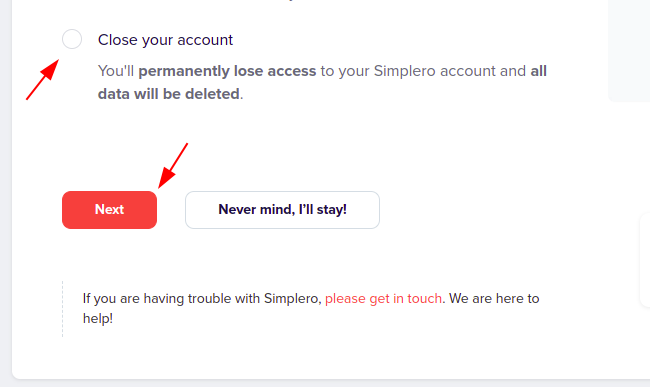
IMPORTANT NOTE: Before you close your account, you will want to export your content, export your contacts, and any accounting you'd like to keep from the Invoices screen under Sales. These will be permanently deleted after you close it.
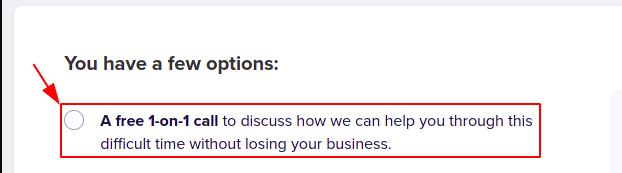
If you'd like, you can book a 30 min free call appointment to talk to our team before you decide to close your account. Perhaps we can work out a business plan or find out how to better use Simplero. To do so, click on the link "Book a 1-on-1 session" and follow the steps forward.
Cancelling a Trial
If you are still on trial, you will see the button to cancel the trial next to your current plan details:

Reach out to the Support Team if you have any further questions!
Suite 92530
New York, NY 10003
United States
