

Acuity Scheduling for Bookings
We recommend using Simplero's scheduling links. You can keep everything in one place, do some cool stuff and save some money!
However, if you still want to use Acuity Scheduling this guide outlines 2 methods of integrating Simplero with Acuity Scheduling.
Send Booking Link when a Customer Purchases a Product
The most common case is when a customer purchases a product that requires they book time with you, that you automatically email them a link to schedule.
To do that in Acuity Scheduling, you will first get the URL found under "Scheduling Page Link".
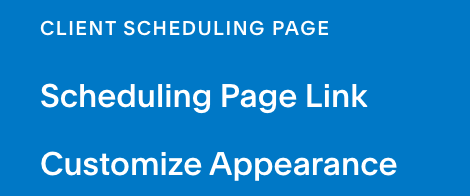
Then in the Simplero product (Sales >> Products), we'll setup an Auto-Response email to automatically send the customer the link to book time with you once they purchase that product.

You will create an auto-response email that includes the link to book time with you.

Then when a customer purchases that product they are sent this email and given the option to schedule time with you on your calendar.
Setting up the Simplero / Acuity Integration
There is also an integration which allows your customers who are scheduling appointments with you in Acuity Scheduling to be added to one of your Simplero lists.
Here are the steps to setup that integration:
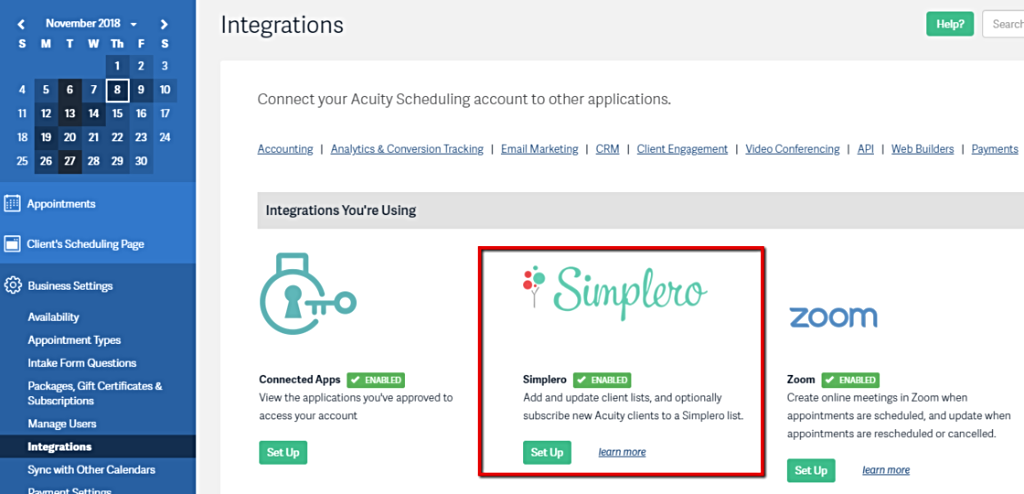
- Log into your Acuity account
- Select Business Settings from your Acuity Dashboard
- Select the Integrations tab
- Find and select Simplero, click the green Set Up button and a pop-up menu will appear
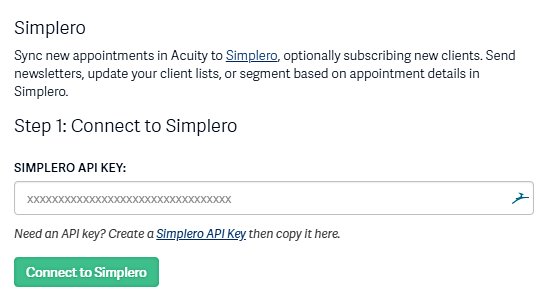
- Go back to your Simplero account
- Set up an API Key
-
Paste that API key from your Simplero in the pop up menu from step 4
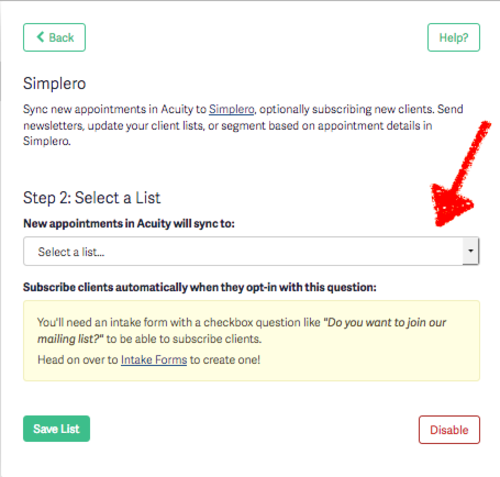
- Once your connection is set-up you will be able to select the list that your customers are added to when new appointments are scheduled.
Optionally, you can subscribe new clients to your Simplero list when booking. Just create an intake form with a Checkbox or Yes/No Choice question like "Do you want to join our mailing list?" and select it.
FAQ
- The integration allows customers to be added to a Simplero list when booking an appointment in Acuity. How can I get the information about the appointment to Simplero (ie. the time, the calendar they booked on, etc)?
- Why contacts are not showing as new subscribers when they've made an appointment?
>> Only clients booked through your client scheduling page who answered yes to your opt-in question will be subscribed.
