

Advanced Rescheduling/Cancelling limits
Simplero supports a sophisticated reschedulling feature that allows you to restrict with who and when your clients can reschedule an event.
Go to the scheduling link admin page where you’ll find the following settings:
Restrict rescheduling
Override when can someone cancel or reschedule an event
Restrict rescheduling
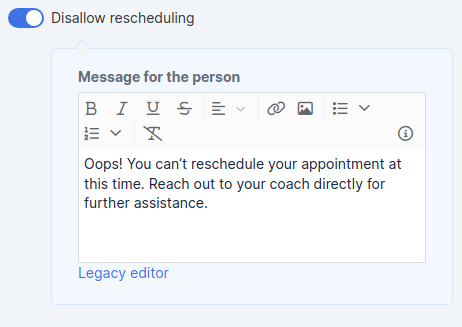 You can disallow rescheduling an event by turning on the toggle Disallow rescheduling.
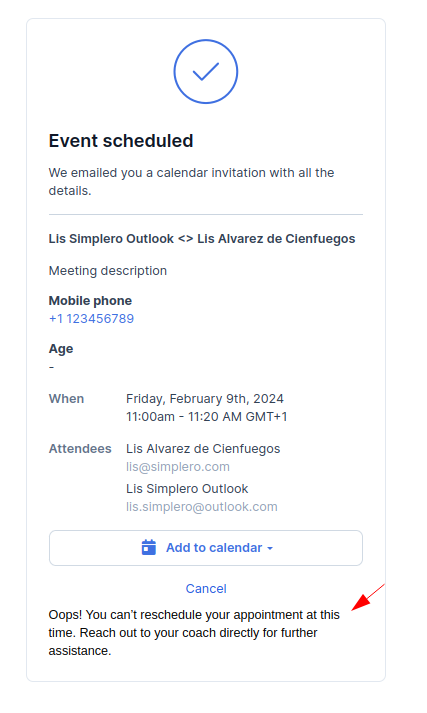
You can add a message on the event page if you would like to provide your clients with further instructions on how to reschedule through your Support/Sales/… teams.
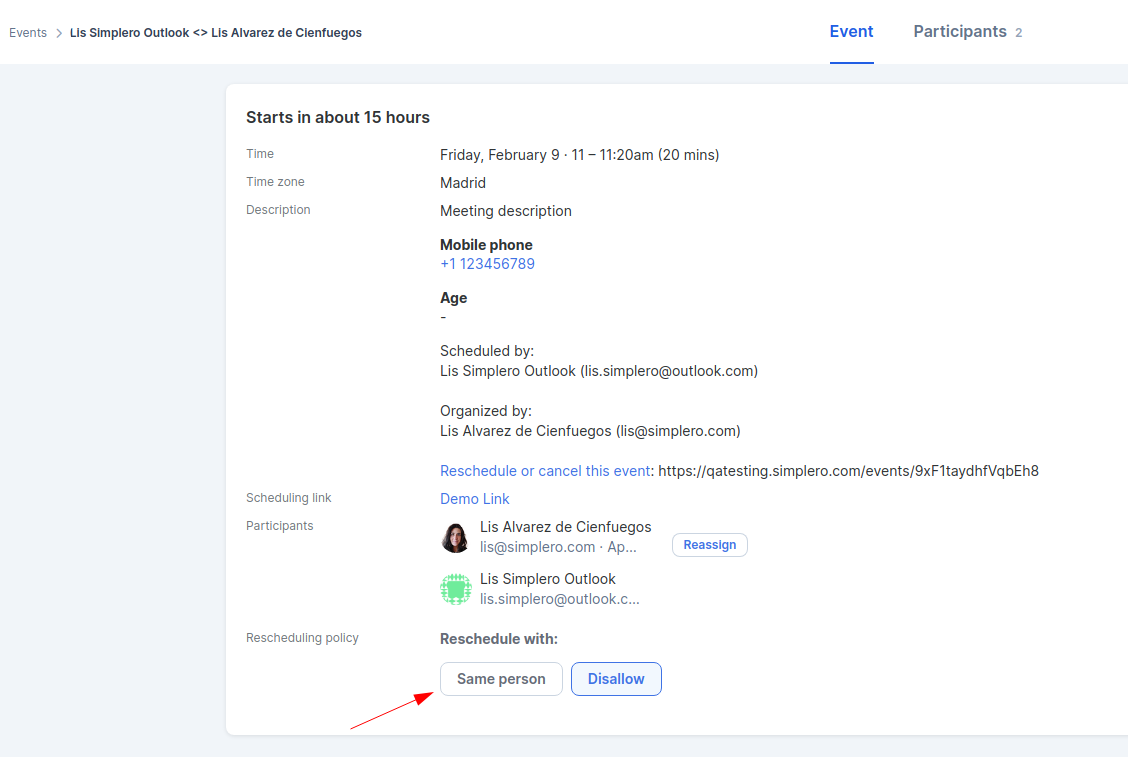
 As an admin, you can now navigate to the event in your dashboard and manually change the reschedulling restriction to allow that particular event to be rescheduled.
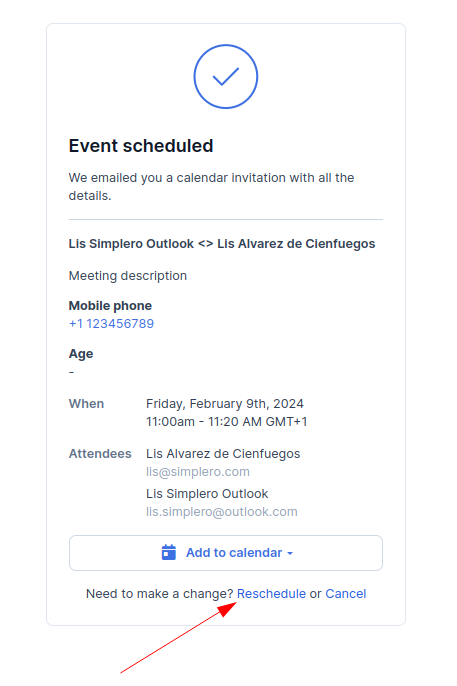
Once the admin has updated the rescheduling policy, your client will be presented with the option to reschedule their appointment in the same event page:
 Let’s have a look at how this feature looks like in master links: round-robin and collective.
First thing to notice is that there are multiple options: Anyone, Same person, and Disallow.
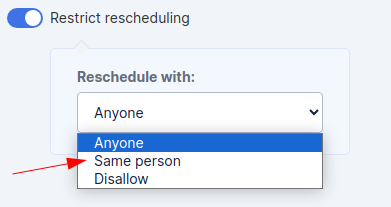 You can now restrict whether your client will be presented with the scheduling link calendar availability or just the same person they have already booked with.
Disallow will have the same impact as it does on individual links. If you disallow rescheduling on a master link you can also include a message with further instructions.
The admin will have the ability to update the rescheduling policy for an existing event to allow the end user to reschedule with anyone, the same person or keep it disallowed.
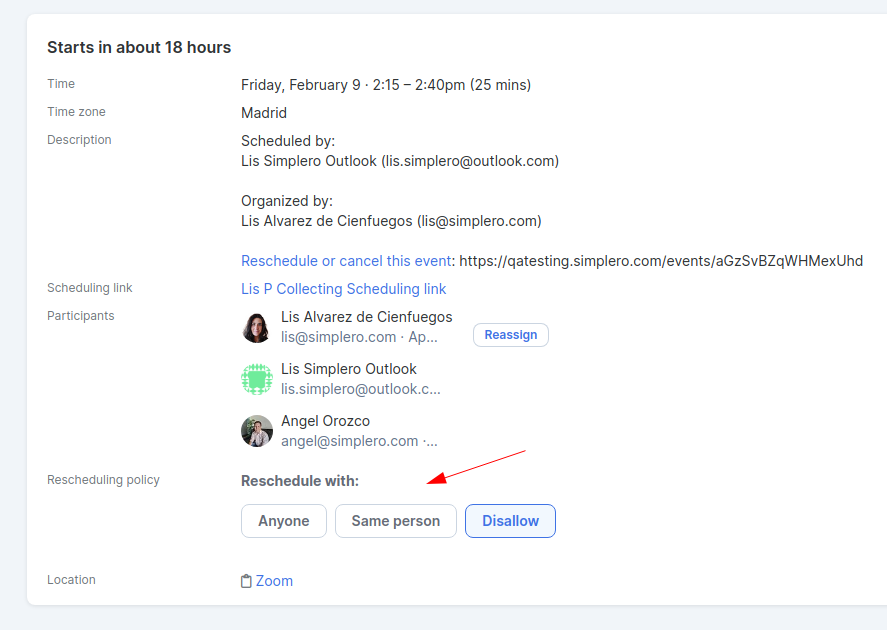
Override when can someone cancel or reschedule an event
Set up a limit on when can someone cancel or reschedule an event. Let’s say your reschedule and/or canellation policy only allows changes 1h before the event.
Scroll down to the Override defaults section and turn on the toggle Override when can someone cancel or reschedule an event and choose the period in which it's not possible to cancel or reschedule:
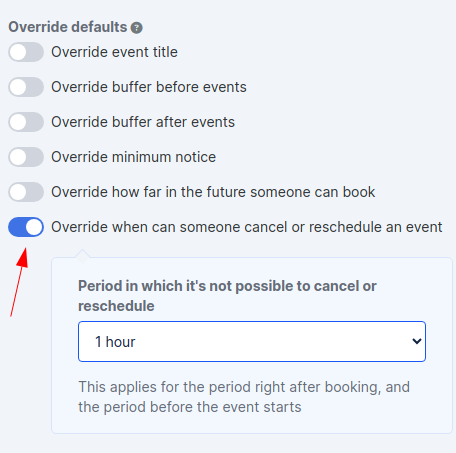
Note that the restriction applies right after booking and before the event starts.
If the end user attempts to cancel/reschedule within the restricted period, they will be notified with a the following warning:
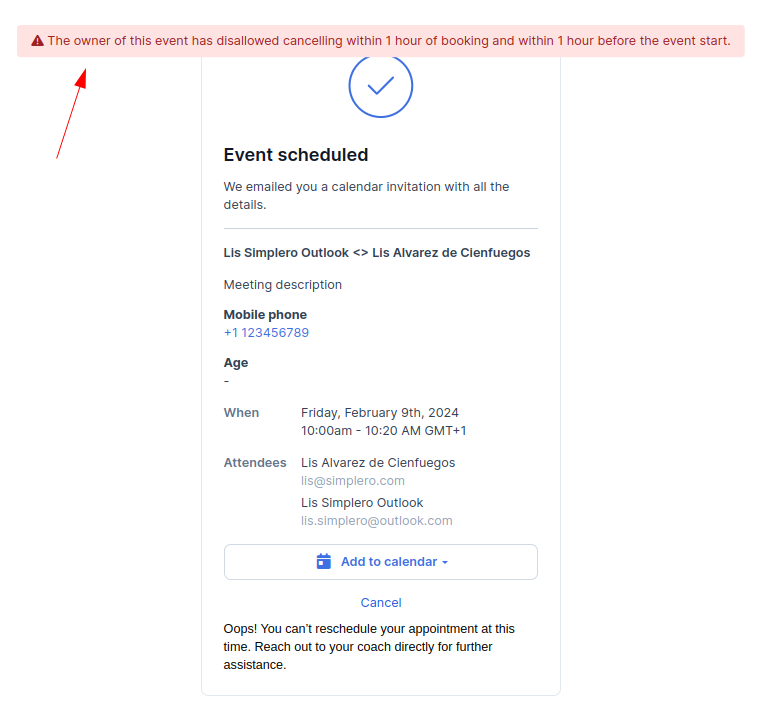 Reach out to support if you have any further questions or need help setting up your rescheduling and cancelling policies!
