

Paid Scheduling Links
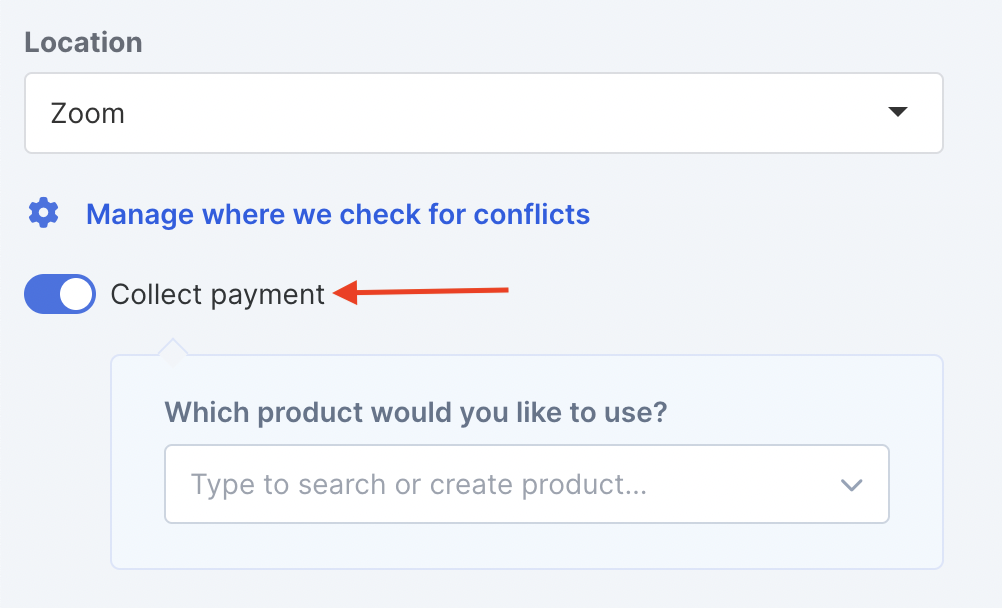
Link your Scheduling link with a Product in Simplero to collect payment before scheduling an event with you.
You’ll find the Product setting on the Scheduling link settings page under Collect payment:
Now when someone books an appointment through your scheduling link they will be redirected to the product order form.
There will be also be a 15 minute countdown timer at the top so they complete the payment and booking as soon as possible.
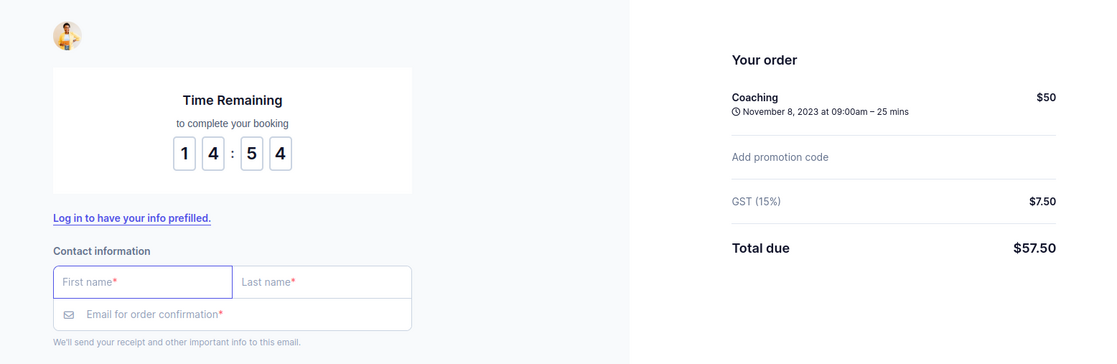
Once the payment has been completed, they will get redirected to the Event page or to your custom URL if you set one up.
Note! If the payment doesn’t go through within 15 minutes, the event will get automatically canceled in the background and the spot will become available again for future scheduling.

___MESSAGE___
___MESSAGE___