

Full (Dark UI) Help & Knowledge Base
Full (Light UI) Help & Knowledge Base
⌘K
Help Guides
Calendar
tTraining Workshops
Favorites
Playlists
History
Guides for End Users › Content (Downloads, Sites, Courses)

Taking a Quiz

Taking a Quiz and getting your score is pretty straightforward in Simplero. 

The quiz will appear just like a lesson within a course module in a membership site.

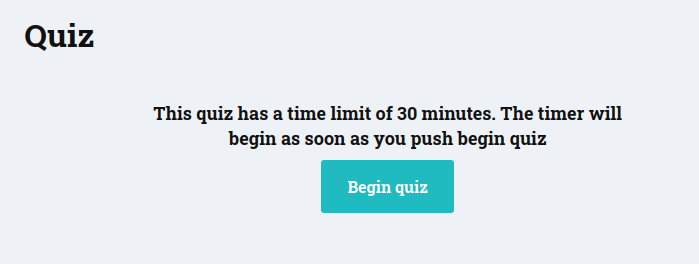
If there is a timer to complete the quiz, we will let you know before it starts.
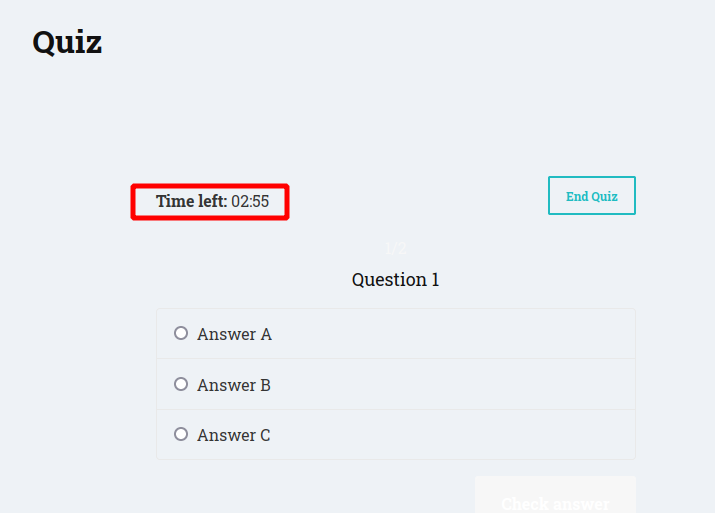
And show you on each question how much time you got left.
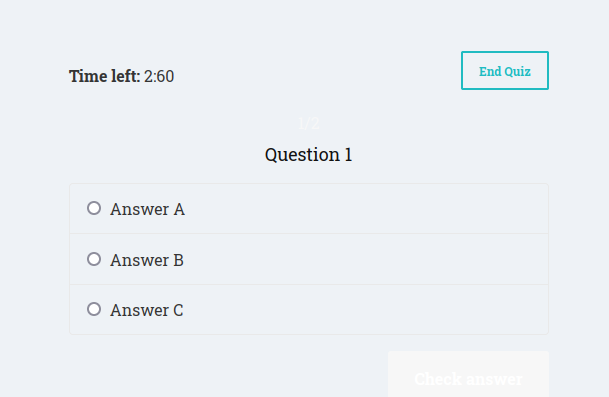
All quizzes are multiple choice. You will select your answer and then click the Check answer button
When you have completed the quiz it will give you your score and there will a button with an option to retake the quiz. 
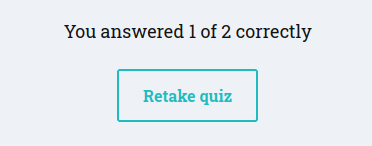
Should you want to come back to the quiz at a later date to retake it, simply go back to the module and click on the quiz again. 

Completed Mark as complete
Simplero
Features Why Simplero? About Pricing
Partner
Become a Partner Work at Simplero Get certified
Get Help
Support Guides Concierge Certified Experts Implementation Workshops
Tools
Mobile App Simplero Coach
Resources
Online Course Creation Guide
Compare
Kajabi Teachable Thinkific ClickFunnels Kit (ConvertKit) Skool Lumant Mighty Networks Circle ActiveCampaign Keap/InfusionSoft WordPress
Legal
Privacy Policy Terms of Service Disclaimer
Copyright © 2026 Powerful Through Grace, Inc. dba Simplero · 1 Chestnut Hill Plaza ·#1139 ·Newark, DE 19713·United States
powered by