

Podcast Feature
Using the Podcast Feature
You may have noticed at the top of your course overview a link that says "Consume this course as a podcast". This link allows you to add any media files you have access to in the course and listen to it in any Podcast App.
Accessing Podcast from a Web Browser or Phone Device
-
Navigate to your Site
-
Locate and open the Course in your web browser.
-
On the top course page, you'll find the podcast button

-
You'll be redirected to the Podcast Subscription Page where you can choose which Podcast App you'd like to add this course to your feed.
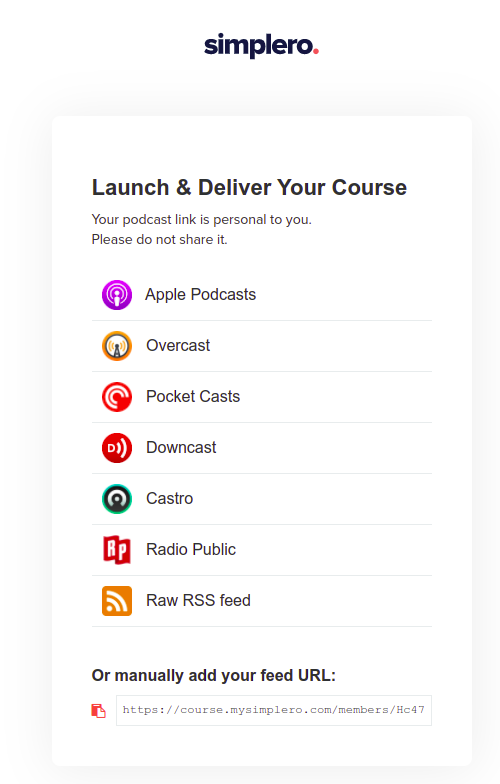
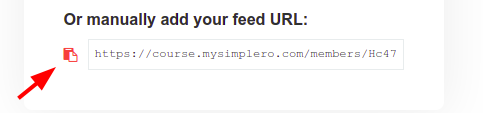
If your Podcast App is not listed on the Podcast Subscription page, you can copy the RSS file URL at the bottom and add it to any Podcast App feed manually :)
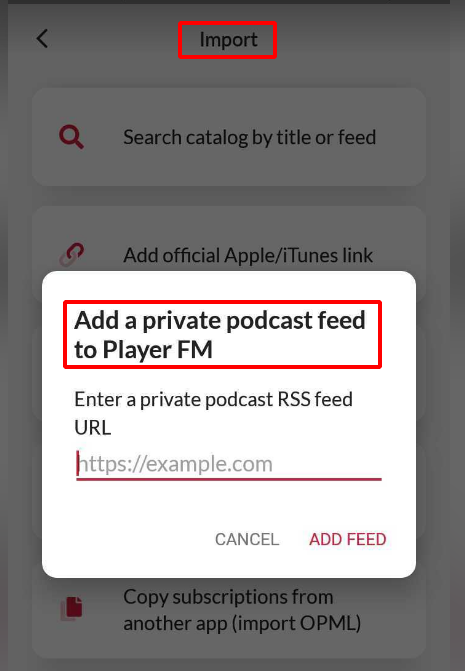
For example, this is how it looks like on Player FM:
Enjoy your Podcast!
Note! Google and Apple podcast apps are very picky with content access. If the course content requires login (is private) you might face some issues playing the recordings. We recommend trying a different podcast app in those cases.
