

Import List from Constant Contact
Note: Constant Contact’s user interface may have changed from the time we wrote this manual. If you see something different, email support@simplero.com with screenshots and we’ll be super grateful!
If you're looking to export your list from Constant Contact and import into Simplero follow the easy steps below.
-
Log in to your Constant Contact
-
Open the Contacts page
-
Choose the contacts you want to export. If you want to select all contacts, select any contact and then click the "Select all contacts" link.
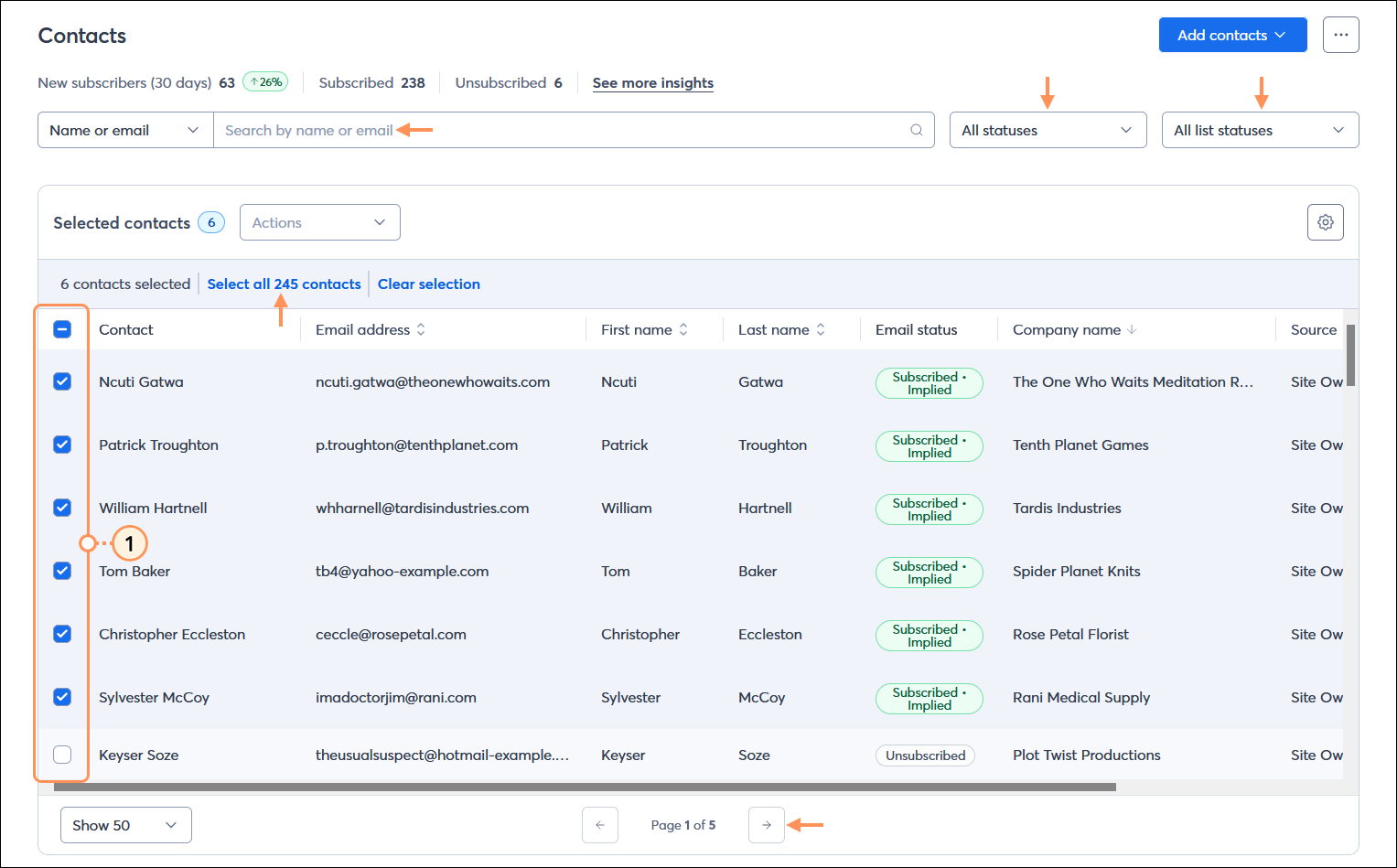
-
Click on Actions and then Export selection
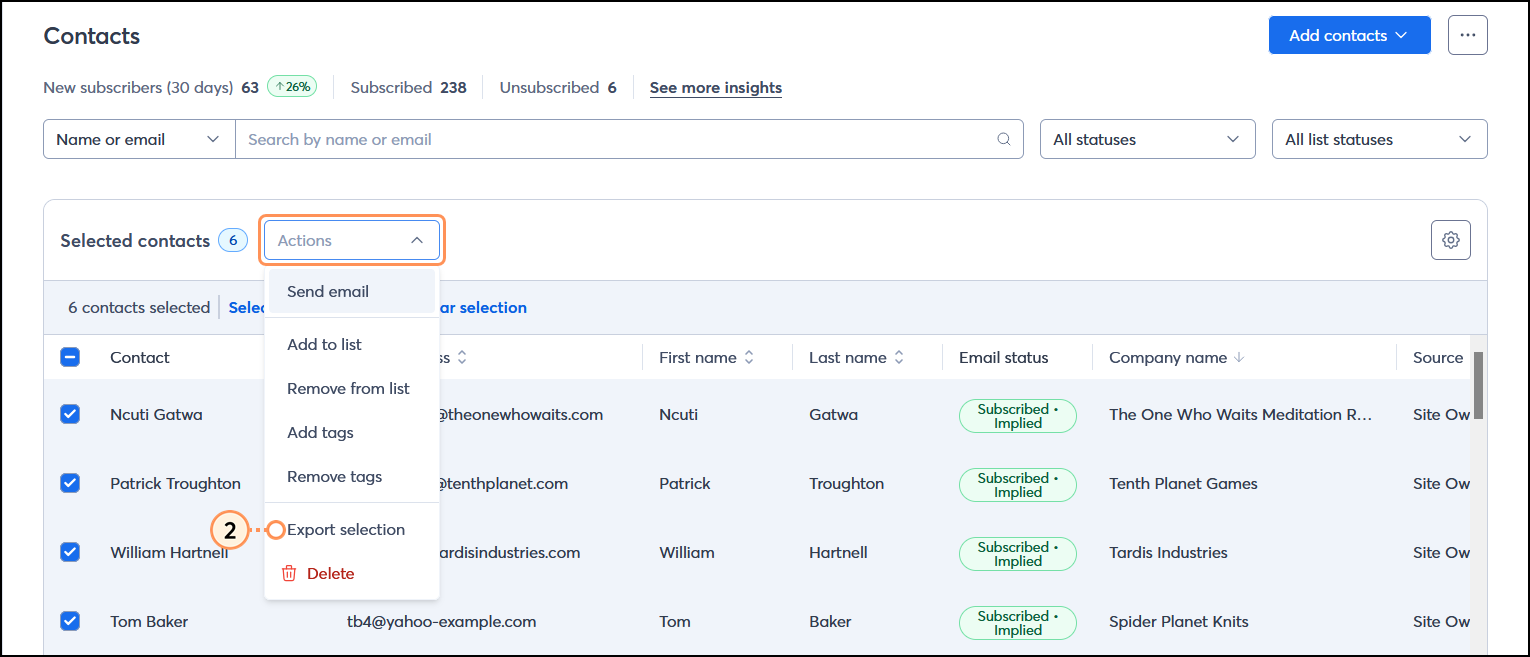
- Select the contact information you want to include in the exported file
-
Click Export
-
When your export is complete, you can download it from your contacts page by
-
Clicking the three dots
-
View import/export activity
-
Download
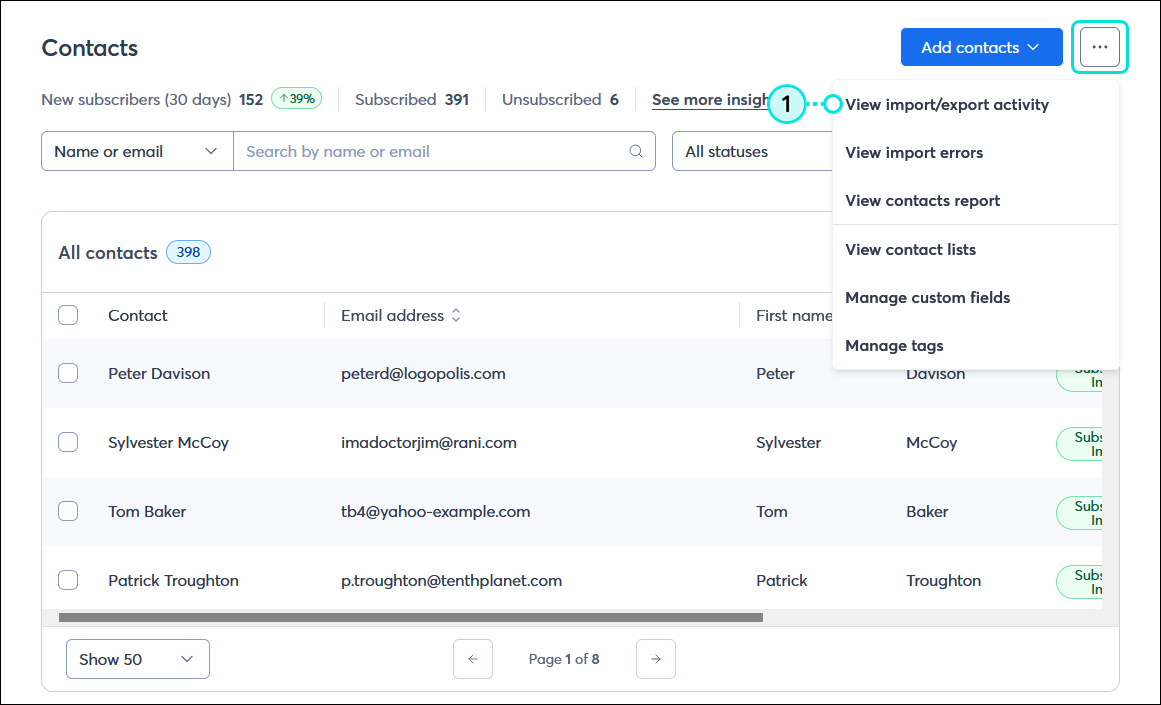
-
-
Go back to Simplero and follow the steps in this guide to add subscribers by uploading a CSV file.
That's all!
You'll receive an email notification to confirm the import was successful.
Now go have fun reaching out to your subscribers!
