

Navigate to the purchase you’d like to edit the charge for.
-
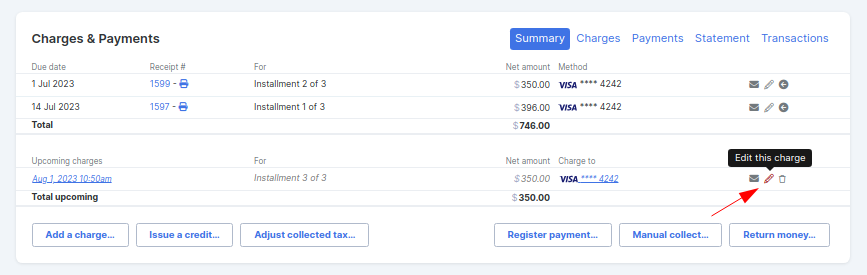
Scroll down to the Charges & Payments box
-
Select the Summary tab and click on the edit icon next to the charge
-
Adjust the charge and click the Save changes button
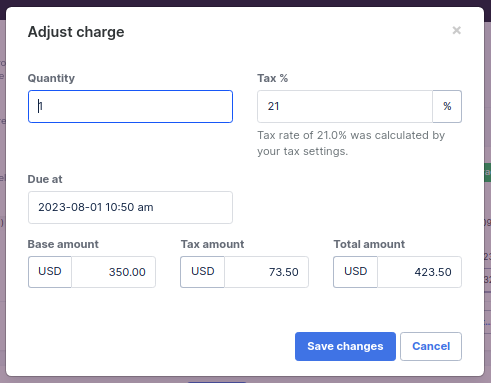
If you are editing the charge to break into smaller payments, check out our guide for adding future charges.
Note: For past charges that have already been paid, the total amount cannot be edited. Only the base and tax amount can be changed. 
228 Park Ave S
Suite 92530
New York, NY 10003
United States
Suite 92530
New York, NY 10003
United States
Copyright © 2026 Powerful Through Grace, Inc.

___MESSAGE___
___MESSAGE___