

Podcast Feature in Sites (RSS)
The Podcast feature allows members in your course to download and consume the MP3 and MP4 files via their preferred media player.
To allow your customers to use the Podcast feature follow the steps below.
Select Content from your Simplero Dashboard
In the Membership sites tab, select the site
Select the Courses tab
Locate the Course name and click the Settings button in the far right side of the course name
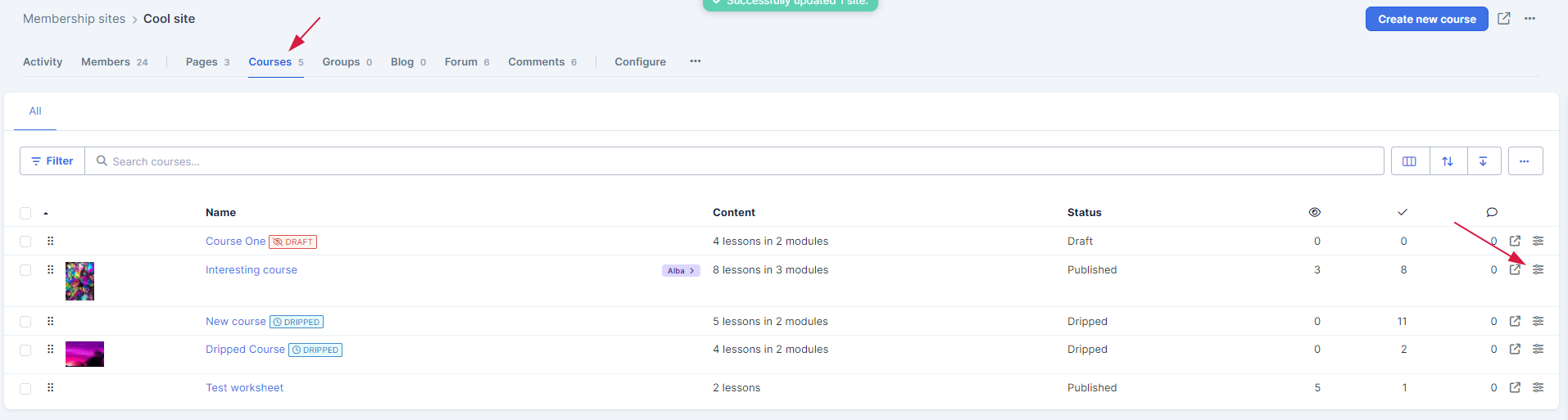
Or, locate and select the Course name and click the Course settings

-
You will be directed to the Settings screen. Scroll down to the Settings section
Toggle the option Allow participants to consume your course as a podcast
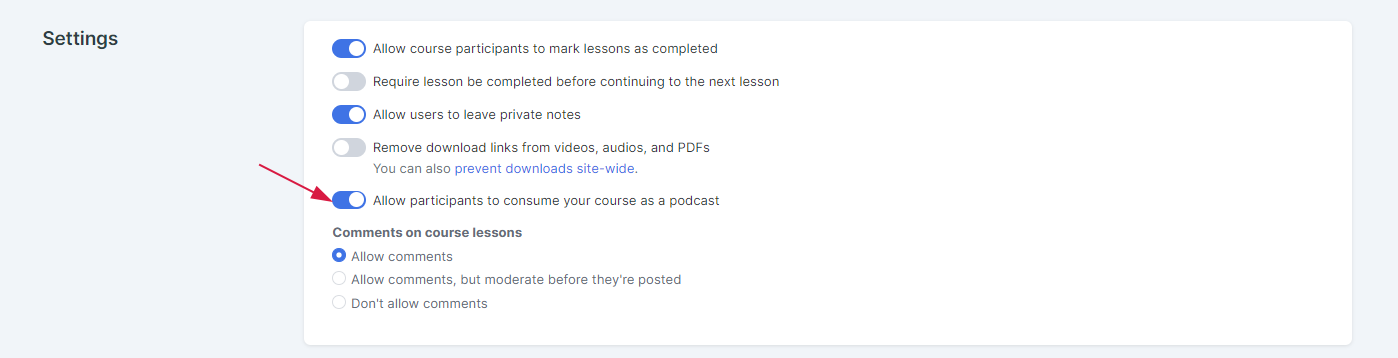
Scroll down and click the Save changes button
The option will be visible from the top of the course view: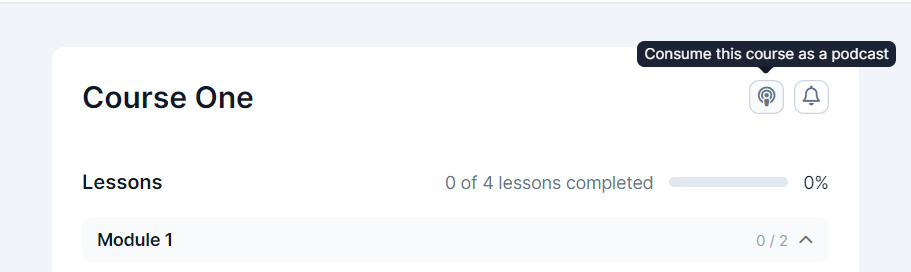
Turning off the Podcast Feature
You have two options to turn off the feature:
Option 1: Still allow downloads (Turn off the feature but still allow them to download files individually)
Select Content from your Simplero Dashboard
In the Membership sites tab, select the site
Select the Courses tab
Locate the Course name and click the Settings button in the far right side of the course name
You will be directed to the Settings screen. Scroll down to the settings sections
Toggle off the option Allow participants to consume your course as a podcast
Scroll down and click the Save changes button
When your customers select the "Podcast Link" in the bottom left sidebar they will be directed to their media player and all the media files in that site that they have access to and will be available to them in a list to play/download.
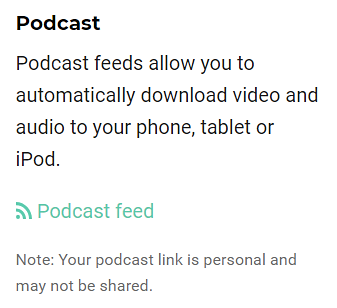
Note: Only the files they have access to via their course(s) and that are loaded via the media file feature below content boxes (not the ones linked to or embedded) will download
Option 2: Turn off all downloads in your membership site (Not recommended)
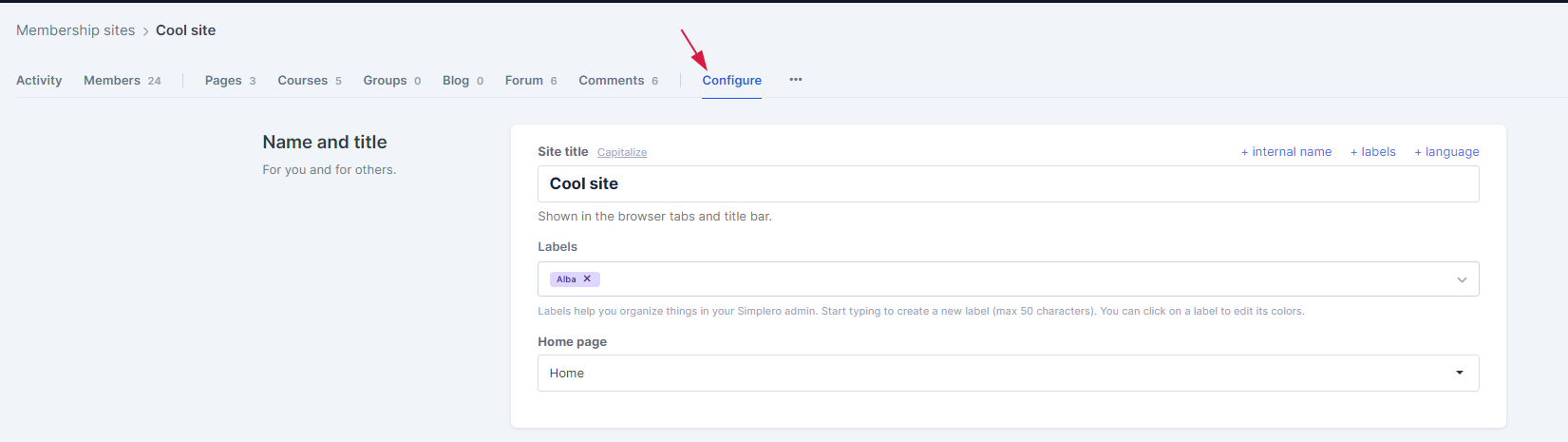
Go to the configure section on your membership site
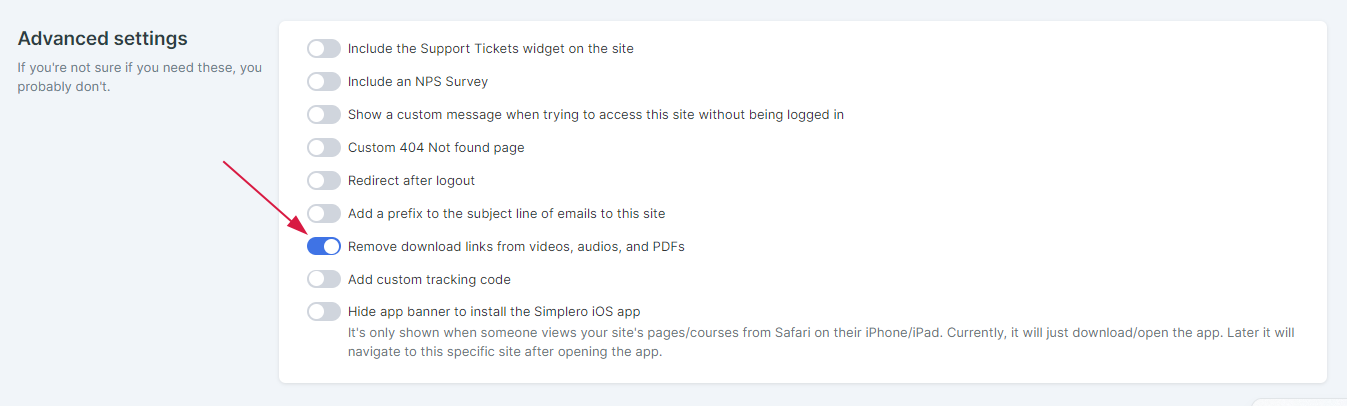
Scroll down to the advanced settings section
-
Toggle on the option Remove Download Links from videos,audios, and PDF’s
Scroll down and click the Save changes button
