

Convert an Existing Landing Page to a Site Page
Convert an Existing Landing Page to a Site Page
Maybe you want your sales page to exist as a page on your site, but you already created it under Marketing >> Landing Pages and forms and you don’t want to build the whole thing again from scratch.
We gotchu covered 🎉
Here are the steps:
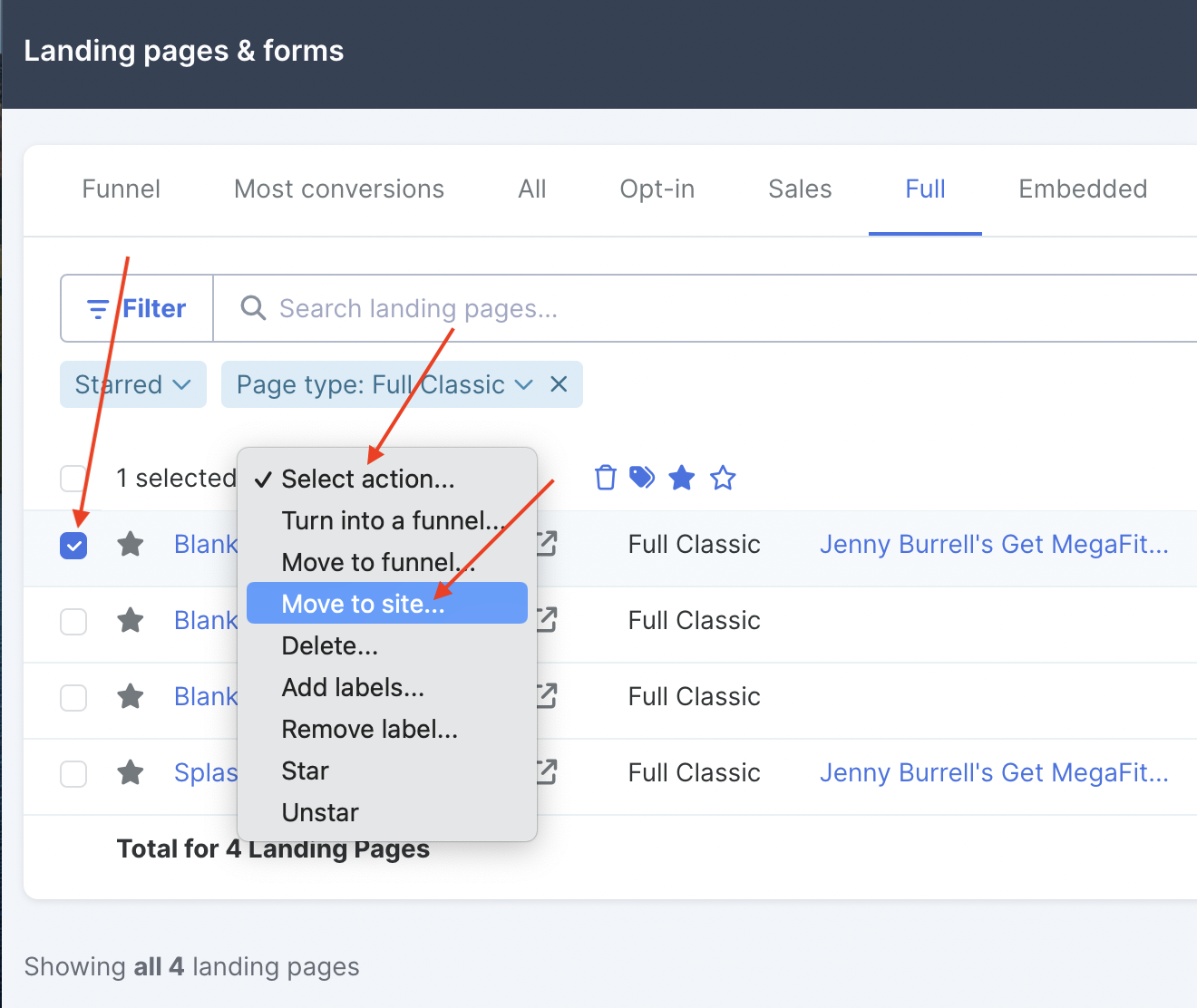
Head to Marketing >> Landing Pages and forms.
Check the box next to the landing page you want to convert.
Press Select action… and choose Move to Site from the dropdown:
FUN FACT! You can also convert your Site pages to landing pages the same way, via Content >> Sites >> Choose the site >> Pages. Just select your page and choose Turn into a landing page… from the Select action… menu:

OR: view your Site page from the front-end (not in editor view), press the S in the top right hand corner, and choose Convert to Landing Page from the dropdown menu:

Et voilà! You’re all set 🥂
