How to Change Your Plan and Billing
Simplero has different plan options to meet your unique needs. Whether you're just starting, are ready to launch your course or product, or want to grow, we've got a plan for you. If you've outgrown your current plan or want to pay less, here's how:
- Change Your Plan
- Adjust the Number of Contacts or Storage in Your Plan
- Update Your Credit Card or Billing Information
Change Your Plan
-
Select Settings from your Simplero Dashboard.
-
Select the Plan and Billing tab:

-
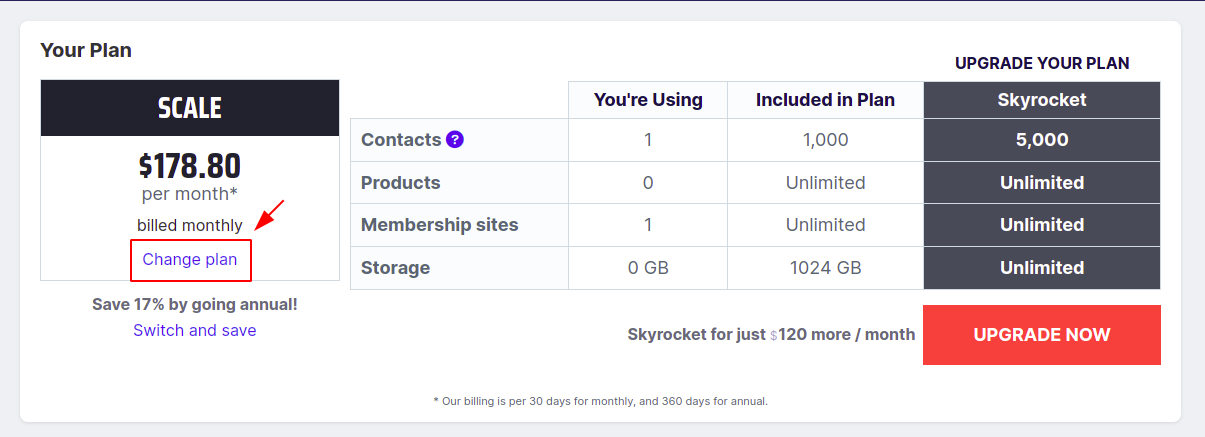
Select Change Plan under the "Your Plan" section. Or click here:
-
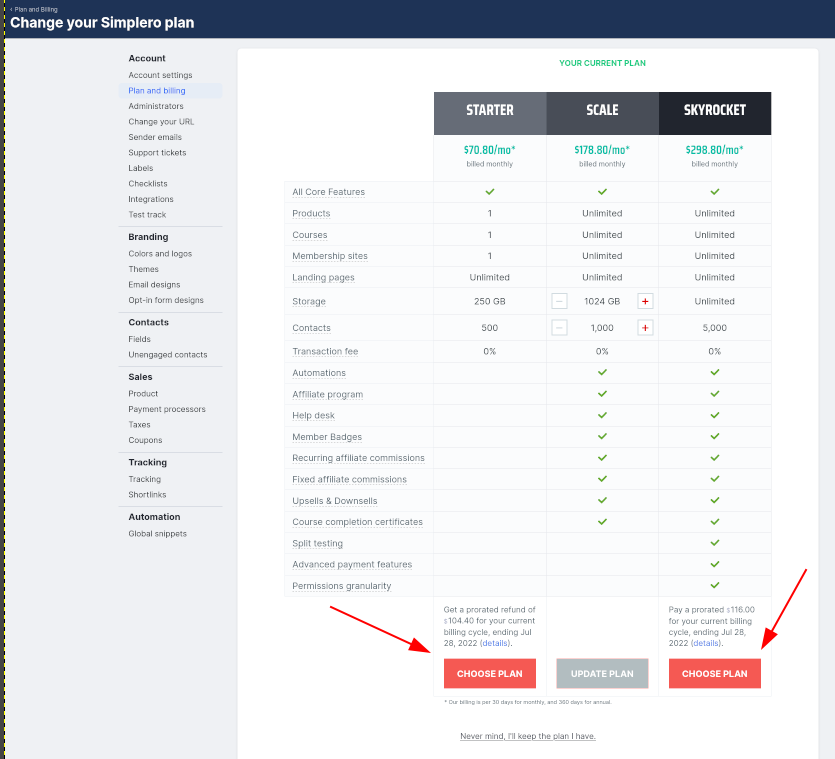
Select the New plan you want to subscribe to and click the Choose Plan button.
Adjust the Number of Contacts or Storage in Your Plan
-
Follow steps 1-3 in the previous section
-
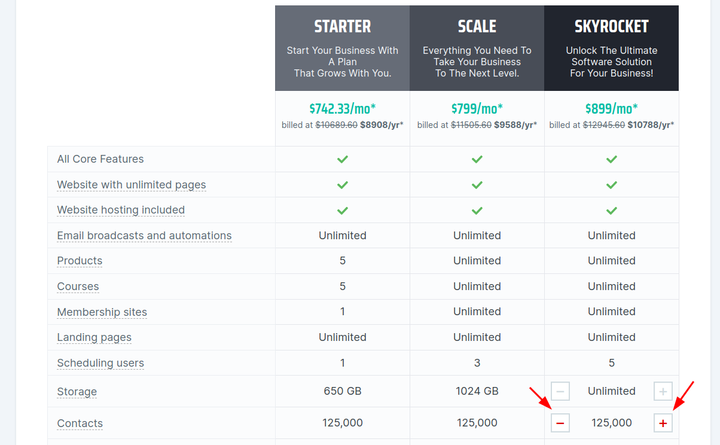
Click on the + or - buttons to adjust the contacts or storage:
Update Your Credit Card or Billing Information
-
Select Settings from your Simplero Dashboard.
-
Select the Plan and Billing tab.

-
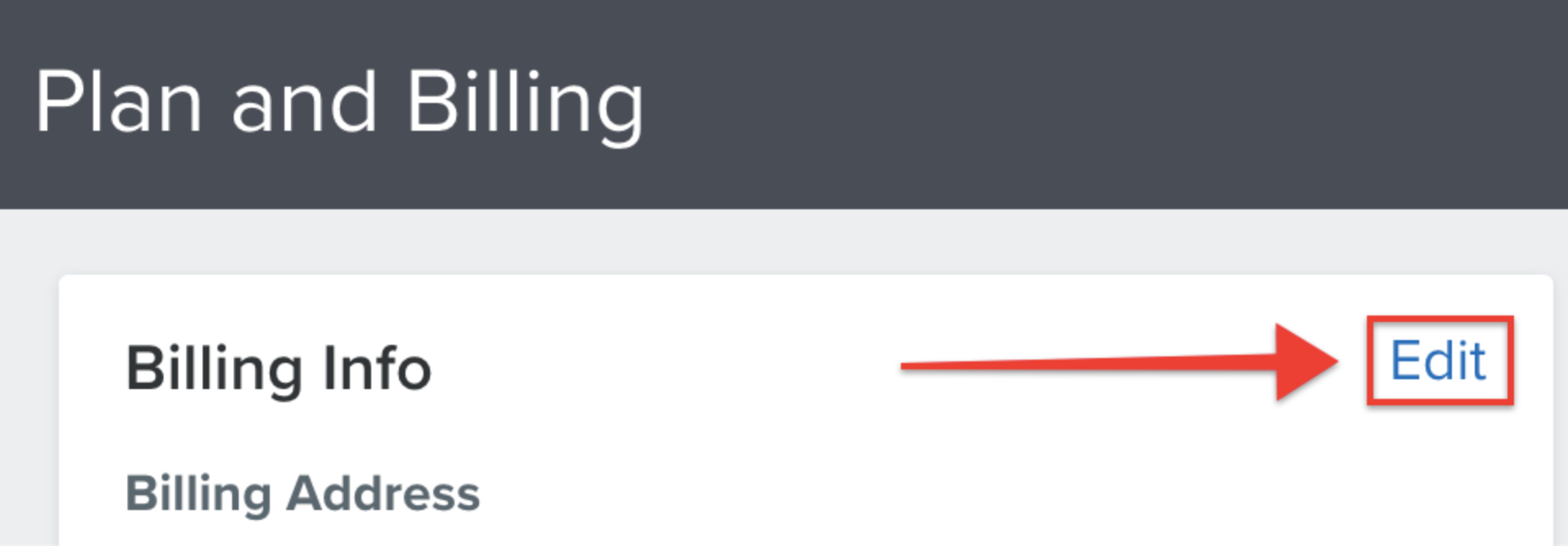
Click on the Edit button under the Billing Info section to edit your Company name, Email address for invoices, Name on your invoices, Address, CVR number, and Credit card for your account.