Full (Dark UI) Help & Knowledge Base
Full (Light UI) Help & Knowledge Base
⌘K
Help Guides
Calendar
tTraining Workshops
Favorites
Playlists
History
Testimonials

How to Add Testimonials to Your Page

At the End of This Lesson

You will be able to collect testimonials in Simplero using three different methods: adding them yourself, sharing a submission link, or placing a testimonial form on a page.


Before You Start

Make sure:

  • You have already added testimonials to your account

  • You are editing a Page or Landing Page in the page builder


Adding your Testimonials to your pages and landing page:

  1. Go to the page builder
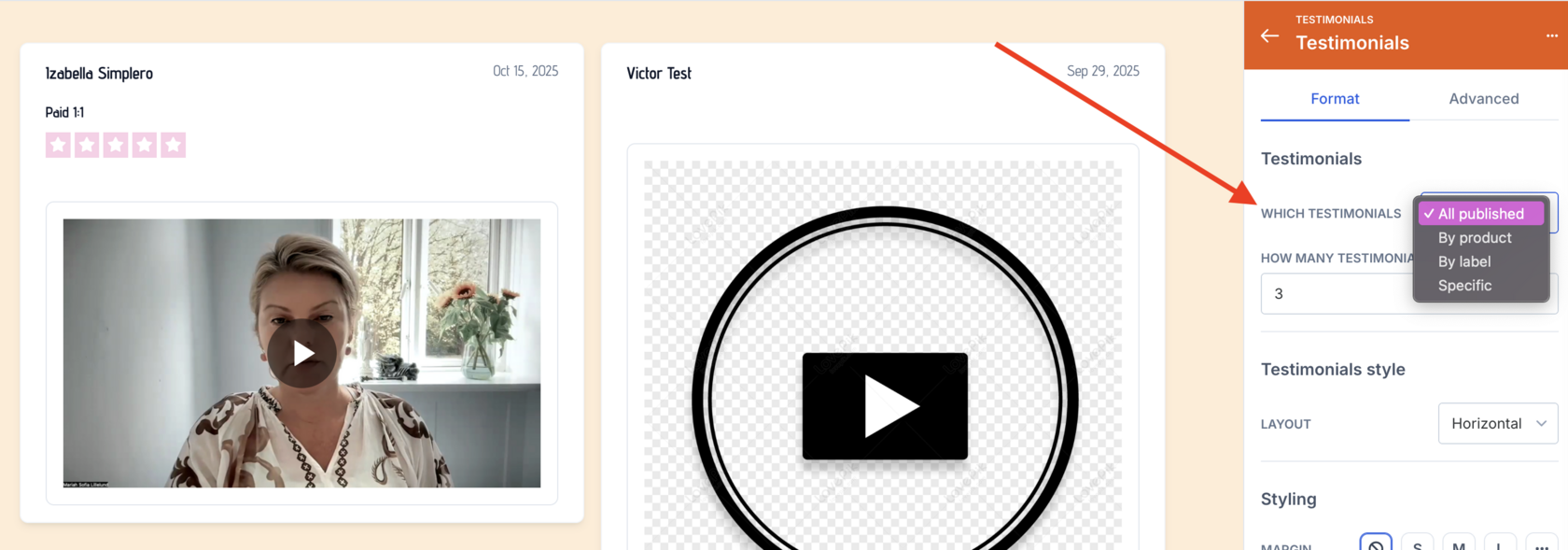
  2. Add an element for Testimonials


  3. On the right sidebar,  customize...
    1. Which testimonials to show.Customizing Which Testimonials
    2. How many testimonials to show
    3. What type of layout to use 

    4. Done! Your testimonials will now be added to the page

Completed Complete
Simplero
Features Why Simplero? About Pricing
Partner
Become a Partner Work at Simplero Get certified
Get Help
Support Guides Concierge Certified Experts Implementation Workshops
Tools
Mobile App Simplero Coach
Resources
Online Course Creation Guide
Compare
Kajabi Teachable Thinkific ClickFunnels Kit (ConvertKit) Skool Lumant Mighty Networks Circle ActiveCampaign Keap/InfusionSoft WordPress
Legal
Privacy Policy Terms of Service Disclaimer
Copyright © 2026 Powerful Through Grace, Inc. dba Simplero · 1 Chestnut Hill Plaza ·#1139 ·Newark, DE 19713·United States
powered by