

Viewing Worksheet Responses
Viewing Individual Responses to a Worksheet
Select Content from your Simplero Dashboard
Select the Worksheets tab
Locate the worksheet you want to view
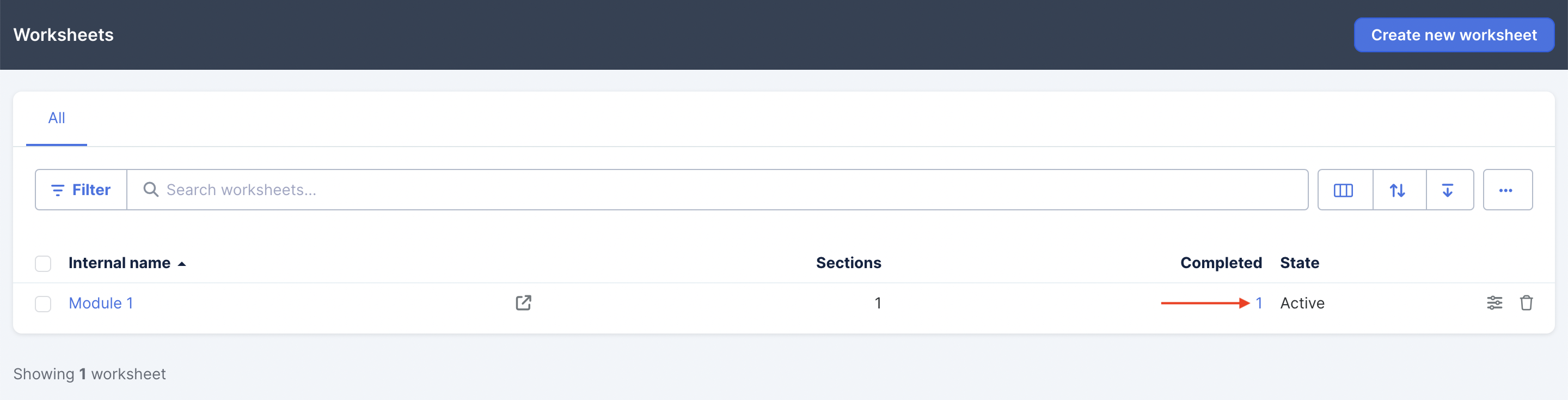
To the right of the worksheet name under the Completed column, select the Number icon to view the responses:
Otherwise, you can click into the worksheet and view the Responses tab:
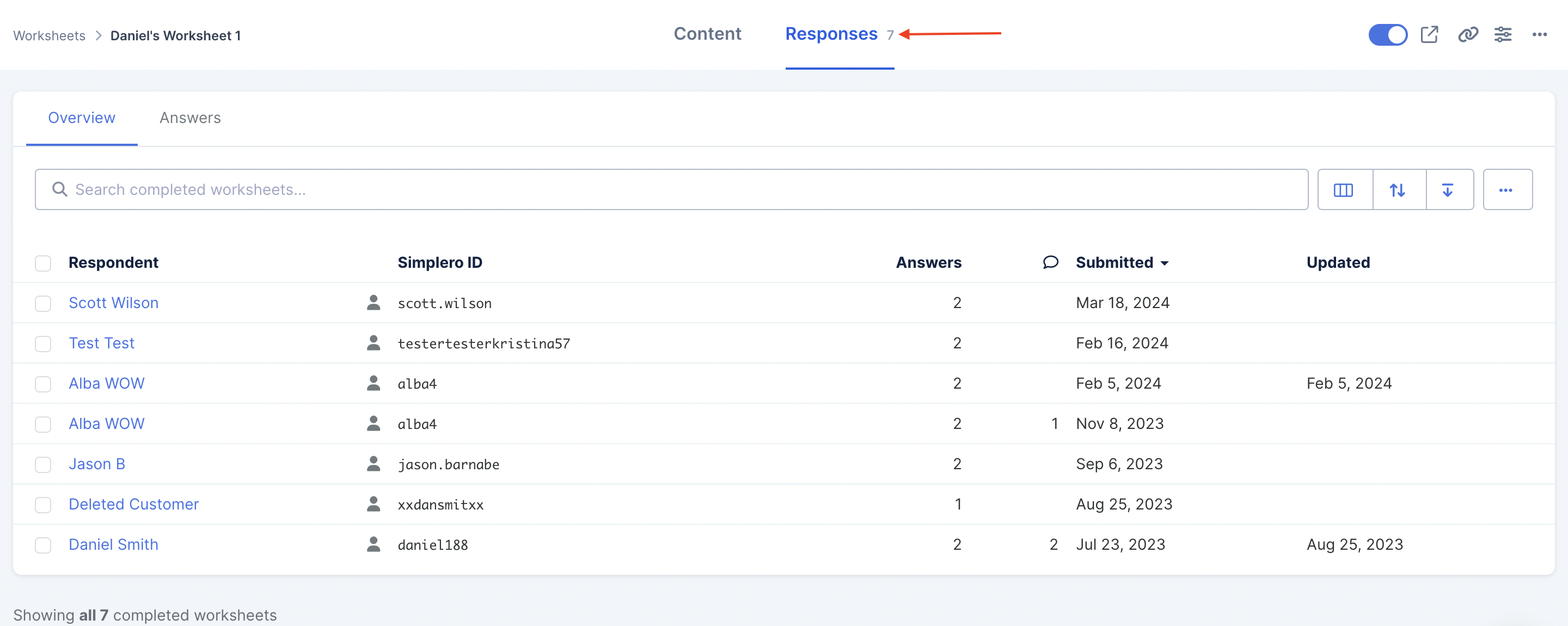
You will now see a list of everyone who has completed your worksheet:
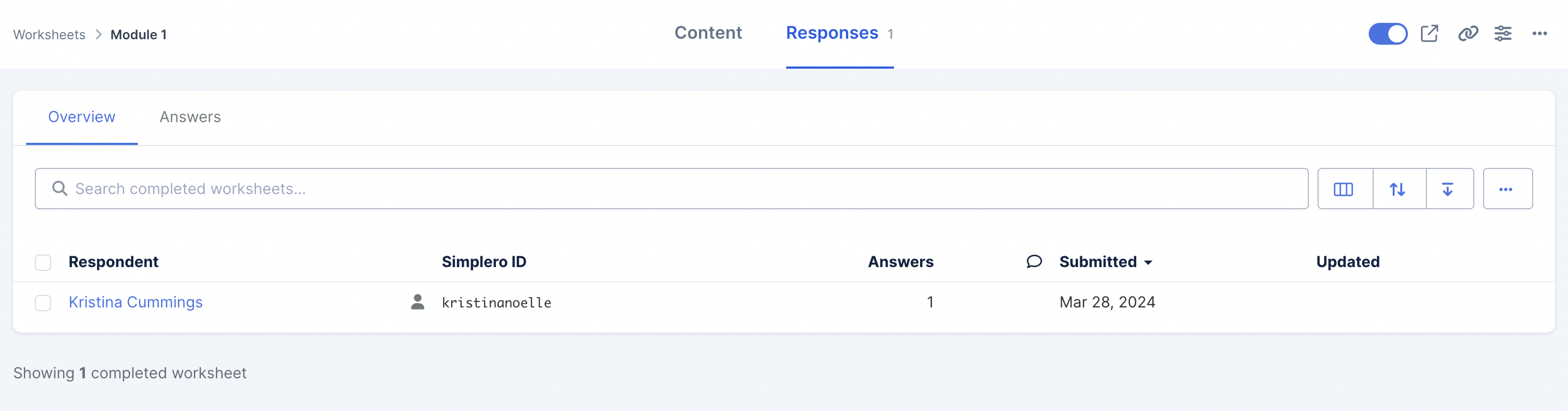
Click on each person's name and you will be able to see the questions followed by their answers.
NOTE! Only text entered into the Title field of the Worksheet section will display when you view responses. Text entered into the Body section will not be visible in this view.
Viewing all responses to a worksheet at one time
Select Content from your Simplero Dashboard
Select the Worksheets tab
Locate the worksheet you want to view
Go to the Responses tab:
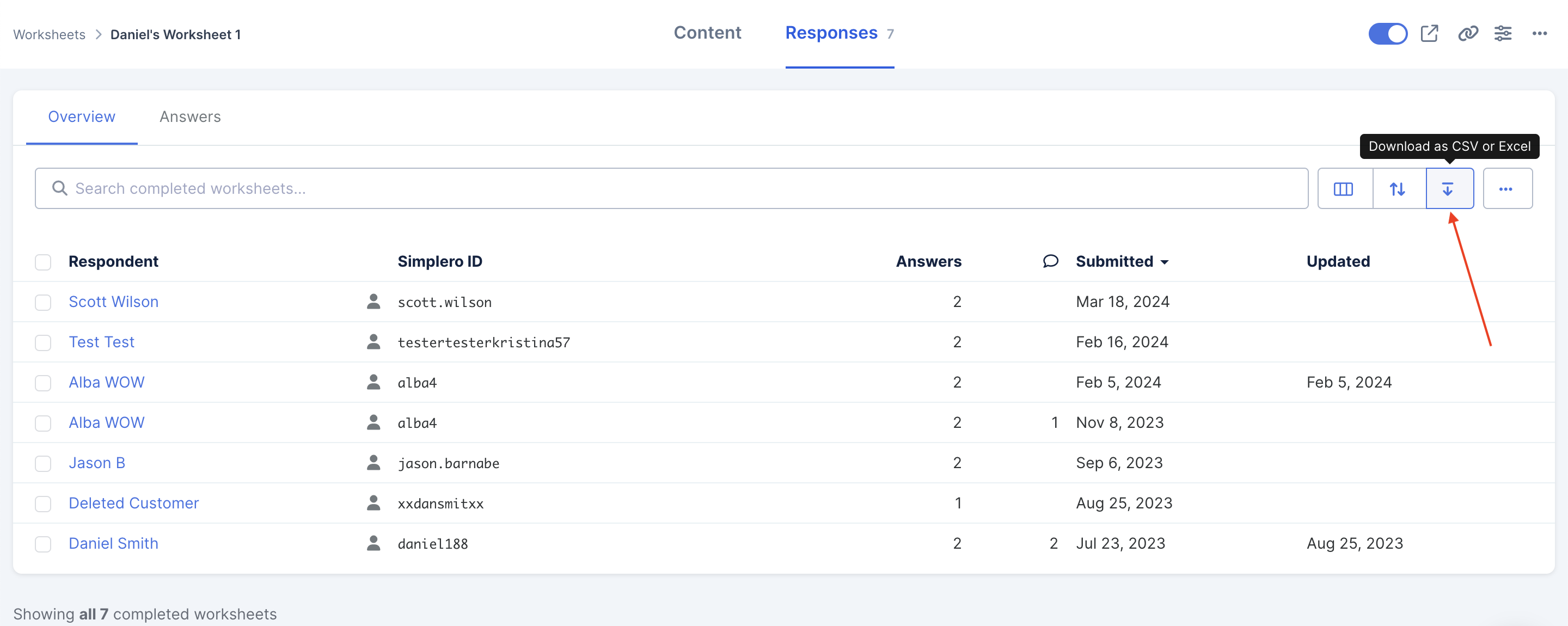
In the upper right-hand corner click the Download icon and choose the file type you want to download:
Questions will be your header and the responses will be in the cells below, with each respondent on a separate line (sample below was downloaded using Excel format):

