

Viewing Custom Fields On Order Forms
Custom fields on order forms are a great way to collect information you want to know about your participants. Maybe you are a business coach wanting to know more about their business or maybe you're a yoga instructor wanting to know what level your student is.
Where does this information go after your participant has completed their order form?
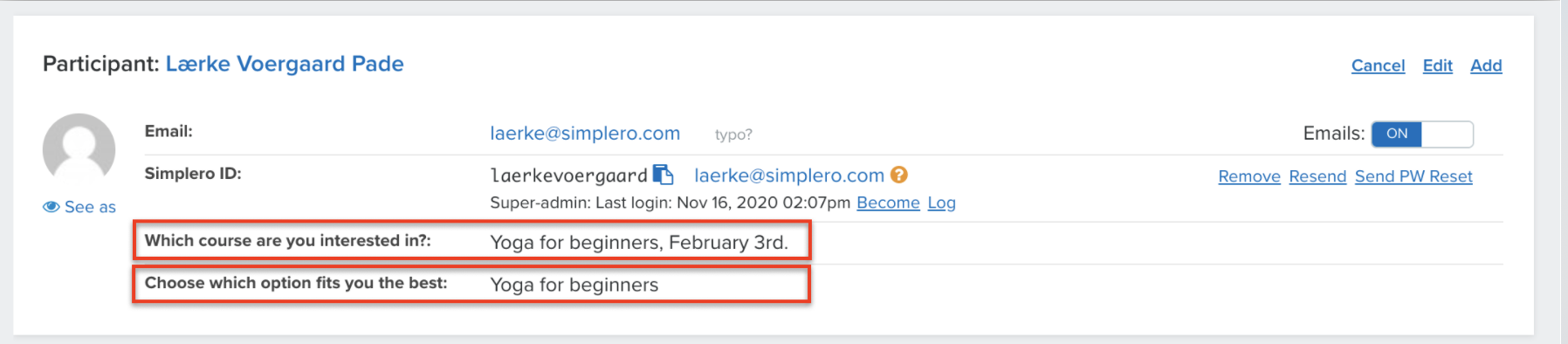
The information is found in your customer's purchase screen. This can be accessed through the Purchases tab under the Products.
- Select Sales from your Simplero Dashboard
- Select Products from the dropdown menu
- Select a product from you products list
- Select the Purchases tab or Participants tab
- Select the customer's name
- Scroll down to the Participant section and you will see all the questions you have asked and answers
View Custom Fields on a Table
You can also view this information on the contacts page (or any page with a list of contacts) by adding the custom fields as columns. To do that, click on the column icon on the right hand side:

Then search and select your contact fields:

You can then download the list of contacts, including the custom fields
