Paying your Affiliates
You have two options to pay out Affiliates: Manual Pay and PayPal Payouts:

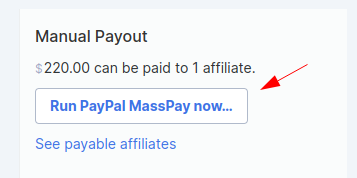
NOTE! If PayPal MassPay appears as a third option for you, this is because it's only available on accounts where it had been previously installed since it's a deprecated feature in PayPal. We touch on PayPall MassPay briefly in this guide here.
Paypal Payouts Payment
-
Set up PayPal Payouts in your PayPal Account if you haven’t yet.
-
Open your Affiliate program
-
Select Affiliate programs from your Simplero Dashboard
-
Select the Affiliate program
-
Select the Configure tab within your Affiliate program and scroll down to the Payout Settings >> choose PayPal Payouts and Save:

-
-
Go to the Affiliate Program >> Summary tab.
-
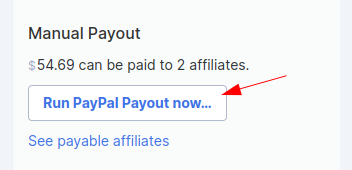
Select the Run via PayPal Payout now... button in the right sidebar
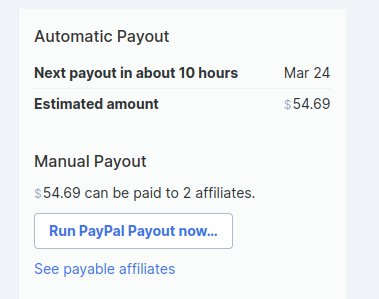
You can also set up an automatic payout using the scheduling settings under the PayPal Payouts option:

On the Summary tab you’ll see when the next Payout is scheduled for, but also will be able to manually run the payout at any time.
NOTE!
- Some users may not be able to use PayPal Payouts per PayPal's Terms of use. If this is you, no worries! You can use the Manual payment option instead 🫡
- You must have enough funds to cover the total payout for your affiliates in your PayPal balance. Otherwise, the payout will not run. [PayPal Help Guide for reference]
- If an automatic payout fails, for example, due to insufficient funds, Simplero will automatically retry the payout. This will happen for a few days until all the attempts fail or succeed.
Set up Payouts notifications
When using PayPal MassPay and PayPal Payouts, you can also add a custom message on the automated payouts sent to your affiliates:

Manual Payment
-
Go to PayPal
-
In another browser, open your Affiliate program
-
Select Marketing >> Affiliate programs from your Simplero Dashboard
-
Select the Affiliate program
-
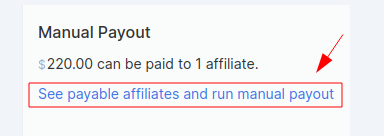
Select the Summary tab within your Affiliate program and click on "See payable affiliates and run manual payout":
-
-
Locate and select the Affiliate you want to pay
-
Copy the Email address and note the Amount you are paying.
-
Go to PayPal and make payment
-
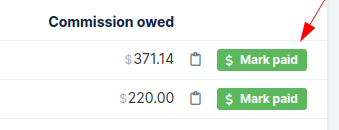
Click the green Mark Paid button in the far right next to the Affiliate name
-
Repeat steps 3-7 until all are paid out
Paypal MassPay
REMINDER! This is only available on accounts where it had been previously installed since it's a deprecated feature in PayPal.
If you already had it in your account, then follow the steps below:
-
Open your Affiliate program
-
Select Marketing >> Affiliate programs from your Simplero Dashboard
-
Select the Affiliate program
-
Select the Summary tab within your Affiliate program
-
-
Select the Pay via PayPal Payouts Mass Pay... button in the right sidebar