

Affiliate Link in a Broadcast
Including an Affiliate Link in a Broadcast
Sometimes you want to send a broadcast or swipe copy via a broadcast to your affiliates that would include their custom affiliate link. We obviously don't want to email them all individually and paste in their link. So how do we ensure we get them their custom link?
The following will only work when the email is sent to the Affiliate program (not to individual contacts). Choose the name of your Affiliate program when you choose 'recipients' for your broadcast.
-
Create your Broadcast as you would normally or add it in the Welcome email under your affiliate programme -> content tab.
-
Where you want their affiliate link to be you are going to paste the URL to your sales page, follow it with a "?ref=" and then select the Insert button and choose Affiliate ref option

So it will look like...

Be sure to hit enter after inserting the reference code so that it hyperlinks the whole line. Otherwise, it will not come through properly in the email to your affiliate.
Important! If you use an External Sales Page URL
If you are using an External sales page, you will need to grab the smpl.ro URL for that sales page. This is not the regular URL the page lives on.
Where do you get that URL? Simple!
-
First, you want to be sure you have set it up in the product correctly.
-
Select Products from your Simplero Dashboard
-
In the Products tab, select your Product
-
Select the Selling tab
-
Scroll down to the Primary sales page section and be sure you have checked the External page option and have the Link to the sales page

-
-
Now go into your Affiliate program
-
Select Affiliate programs from your Simplero Dashboard
-
Select the Affiliate name
-
You will be directed to the Affiliate information screen
-
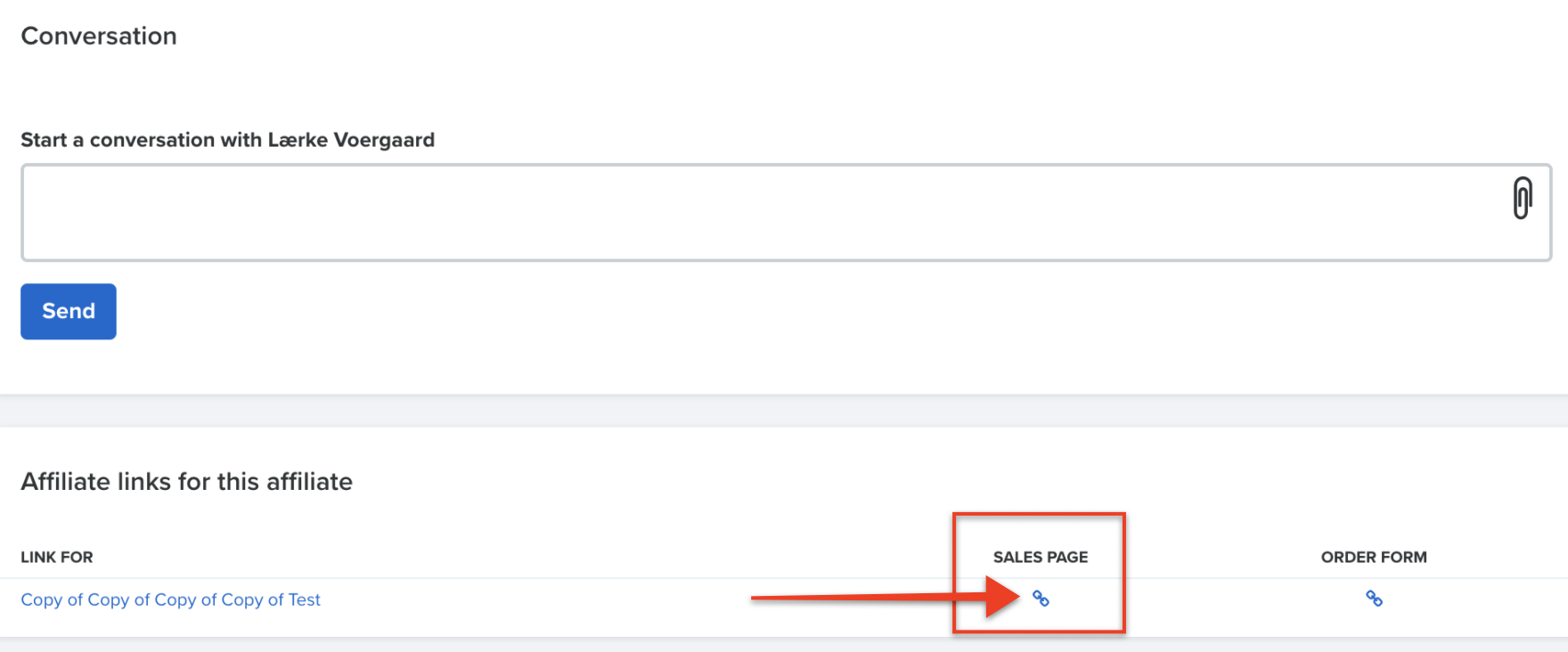
Scroll down to the Affiliate links for this affiliate box
-
Find the product you want them to promote and copy that Sales Page URL by clicking the Link icon
-
Paste the URL in a text document (e.g., Notepad) so that you can see the whole URL
-
Replace the part after the ? with the merge field code that inserts the affiliate's reference ID as described in the first part of this guide. It will look something like this:
-

