

Triggers on Link Clicks
Triggers on Link Clicks
You can add a trigger to run some action when a link included on a Broadcast or auto-response is clicked.
This is super useful to catch people who are interested enough in an offer to click a link about it, but may not have bought the program yet.
Simply go to your broadcast or auto-response, find the link, and click Edit.
Select Marketing from Simplero Dashboard
Choose the Email broadcasts tab
Locate and select the Broadcast name you wish to edit
Scroll down to the Link check box and click the Pencil icon to edit and add a trigger that will fire when they click this link:
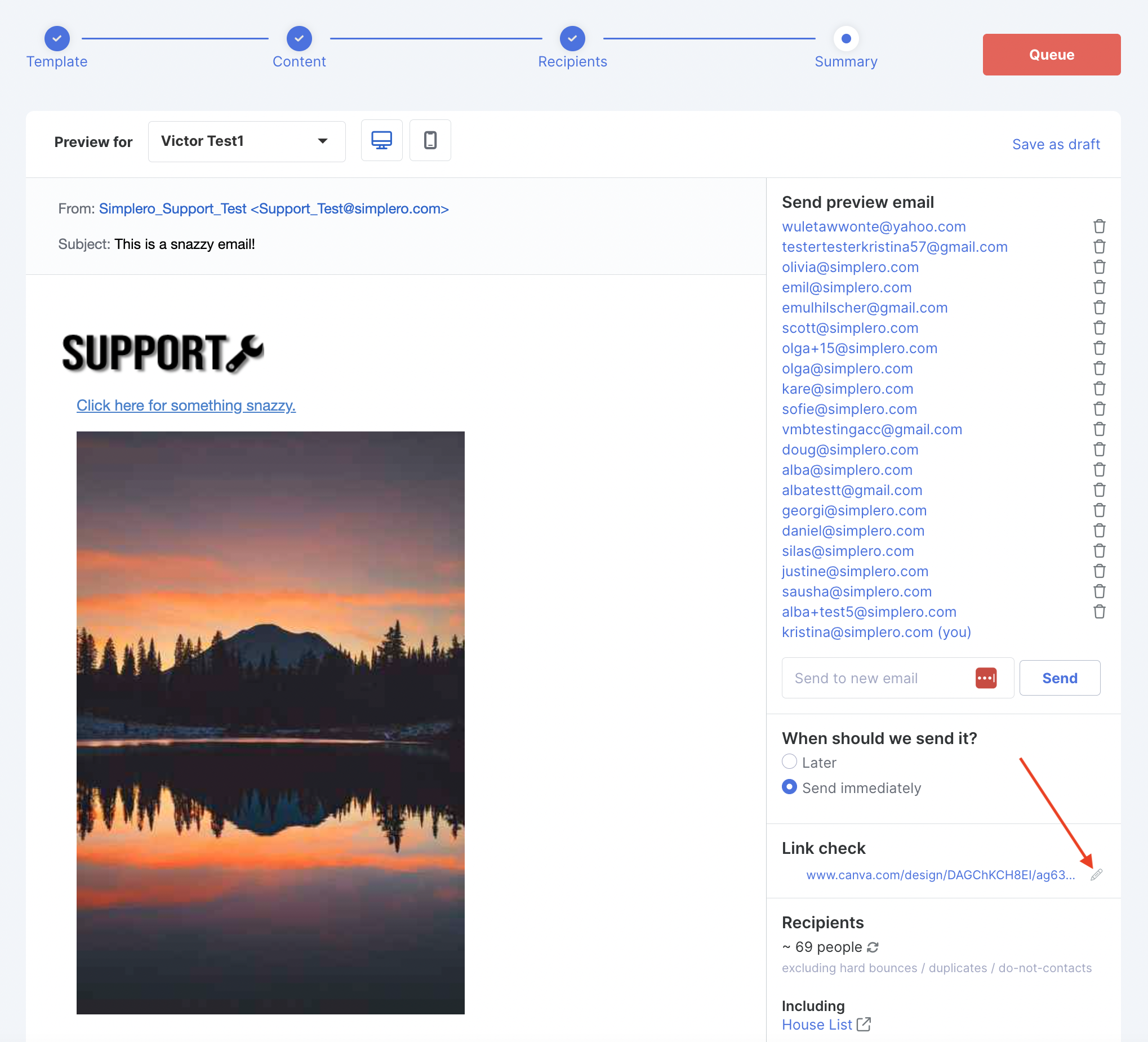
In the Edit link screen, scroll down to the Trigger section and click the +Add a trigger button:
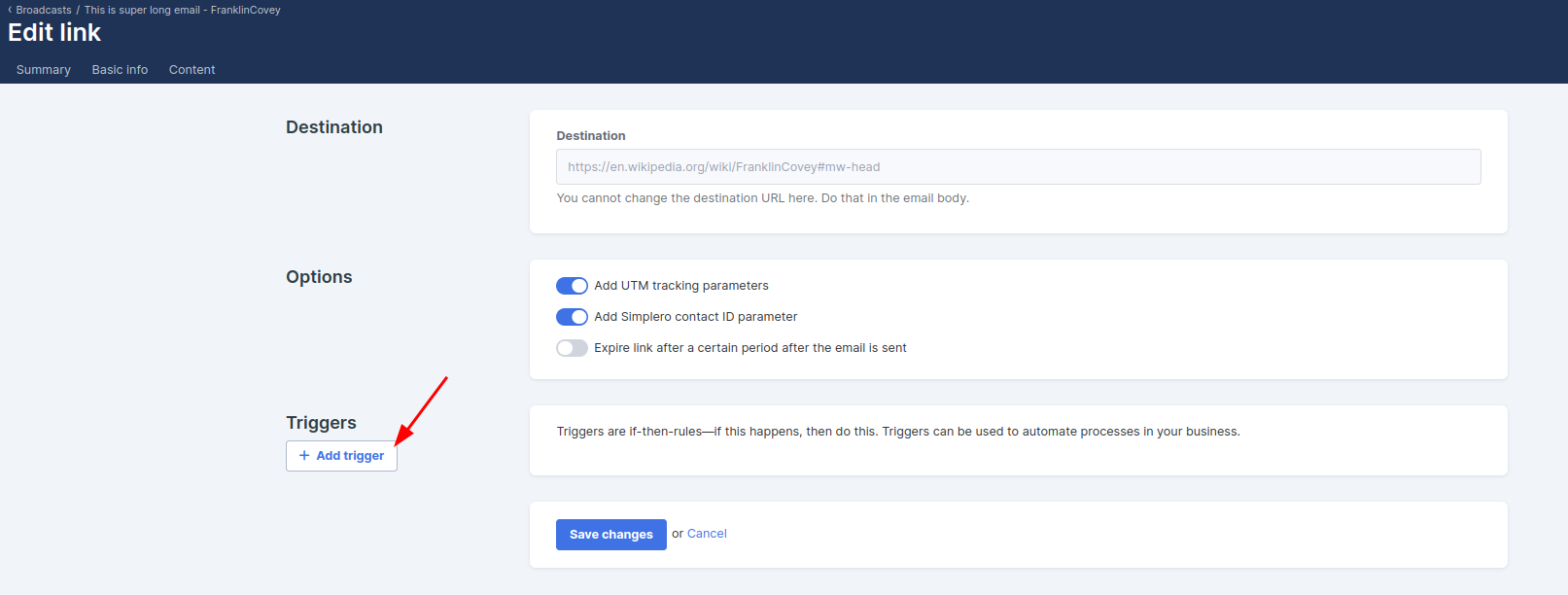
The trigger can Add a tag, Notify you, add them to another List, or any of a number of other actions
Click the Save changes button
NOTE! GDPR notice for those doing business in the EU: Please keep in mind when using triggers based on actions of your customers that you are in compliance with GDPR, since actions such as these may violate rules in regards to consent and profiling. This message does not constitute legal advice - should you have a question about compliance, please consult a lawyer.
