

Abandoned Cart Trigger
No one wants to deal with the let down of a customer who starts a checkout process but doesn’t make the purchase. Luckily, often those customers just need a little nudge in the right direction.
An automated abandoned cart trigger is the perfect nudge, and at Simplero, we’ve got you covered.
With an abandoned cart trigger, when a customer doesn’t complete their checkout, you can easily follow-up with them, which means better conversion rates and more.
Abandoned cart triggers also allow you to learn about why your customers aren’t completing purchases, and they can help you better direct customers to the right product. So with one simple solution, you can enhance customer relationships and customer experience.
Plus, because abandoned cart triggers are automated - so you get these benefits without spending more time or energy. As soon as your customers enter the information in the order form and try to submit, the timer for abandoned purchase triggers starts. So if a purchase is not completed within 30 minutes after the first step is submitted, we'll fire the purchase abandoned trigger.
Ready for more completed orders?
Here are the steps to setup an abandoned cart trigger:
1. Sales >> Products - select the product you want to add the trigger to.
2. Click Content tab and "add trigger" button at the bottom.
3. Use the Purchase: Cart abandoned for 30+ minutes option for When this happens:
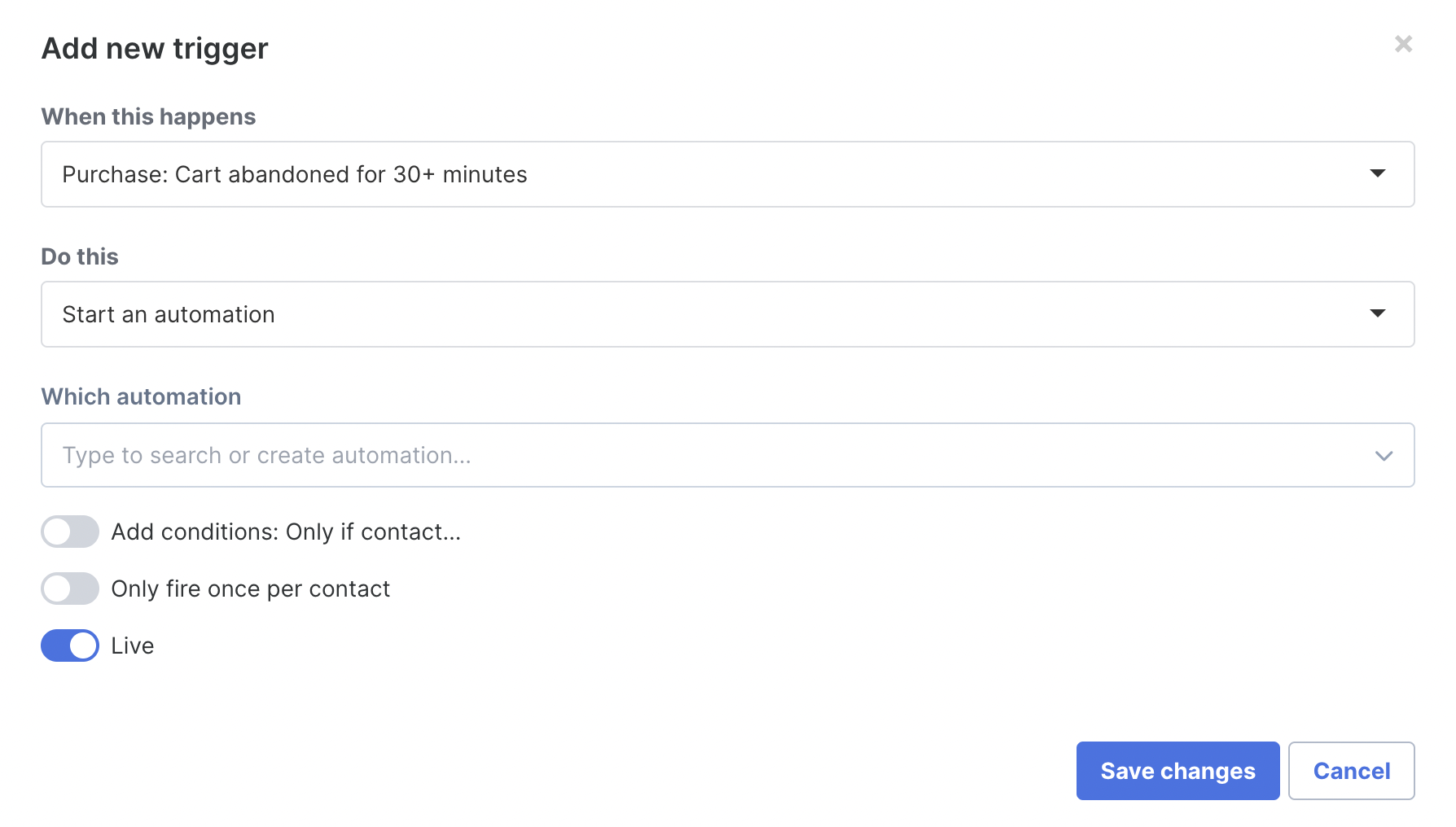
Now when a purchase is abandoned for 30+ minutes, this trigger will fire. In this example they would be put into an automation - you can call it your "Abandoned Cart Automation", where you can add an email sequence enticing them to complete their purchase.
When does the trigger fire?
It depends on the payment processor that your customer selects:
For Stripe purchases, when the customer enters their card details if they are incorrect
For other payment processors where your customers get redirected outside Simplero (such as Paypal or Quickpay) -The abandoned cart is created as soon as they get redirected to the new window, if they don’t complete the purchase
For manual payment processors - We don’t create an abandoned purchase
