

Troubleshooting Opt-in Form Issues
If your Opt-in Form is not appearing on your website, we encourage you to check out the settings and be sure you don't have limits set that have been reached.
Select Marketing >> Landing pages >> Embedded tab
Locate and select the signup form name
Select the Settings button on the header's top right corner:

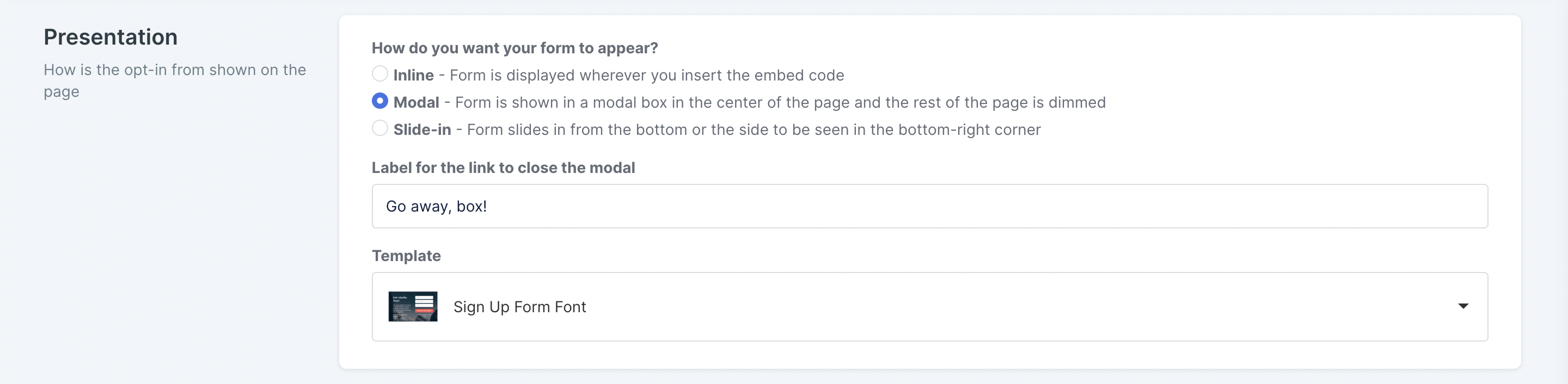
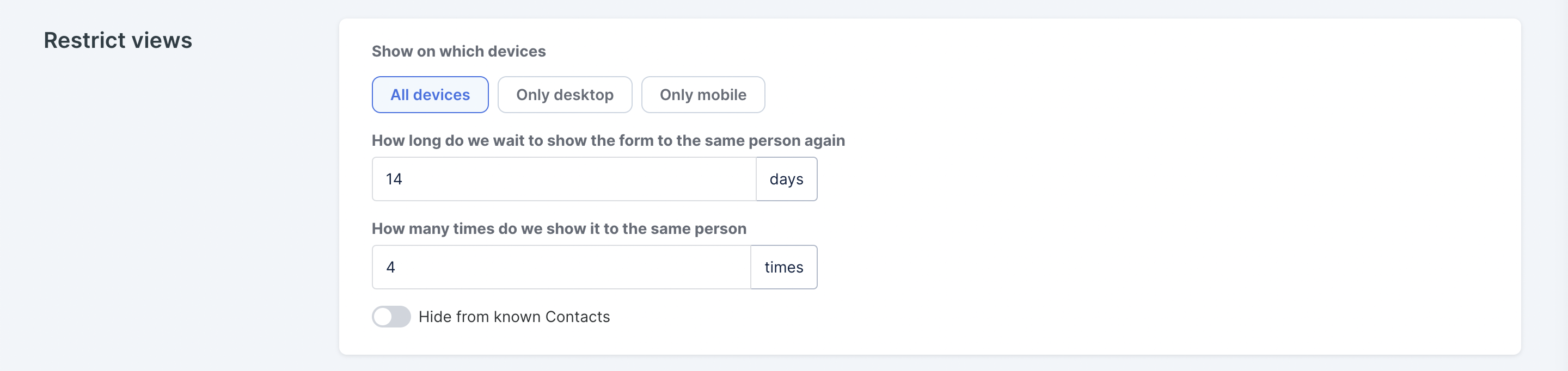
If the landing page Presentation is set to Modal, scroll down to the Restrict Views section and check your settings. If you want the same person to see this opt-in every time, set your limit to 0 days and 1000 times:
If the landing page Presentation is set to Inline, scroll down to the Already Converted section, select to "Show message" or "Show the form". Otherwise if you select “Show nothing” and you’ve already opted in yourself, but then try and view again, it will not show:


When “Someone submits a signup form” trigger doesn't send out the email

If you have this trigger set up and it doesn’t fire, check if the list has Double opt-in enabled via List >> Configure:
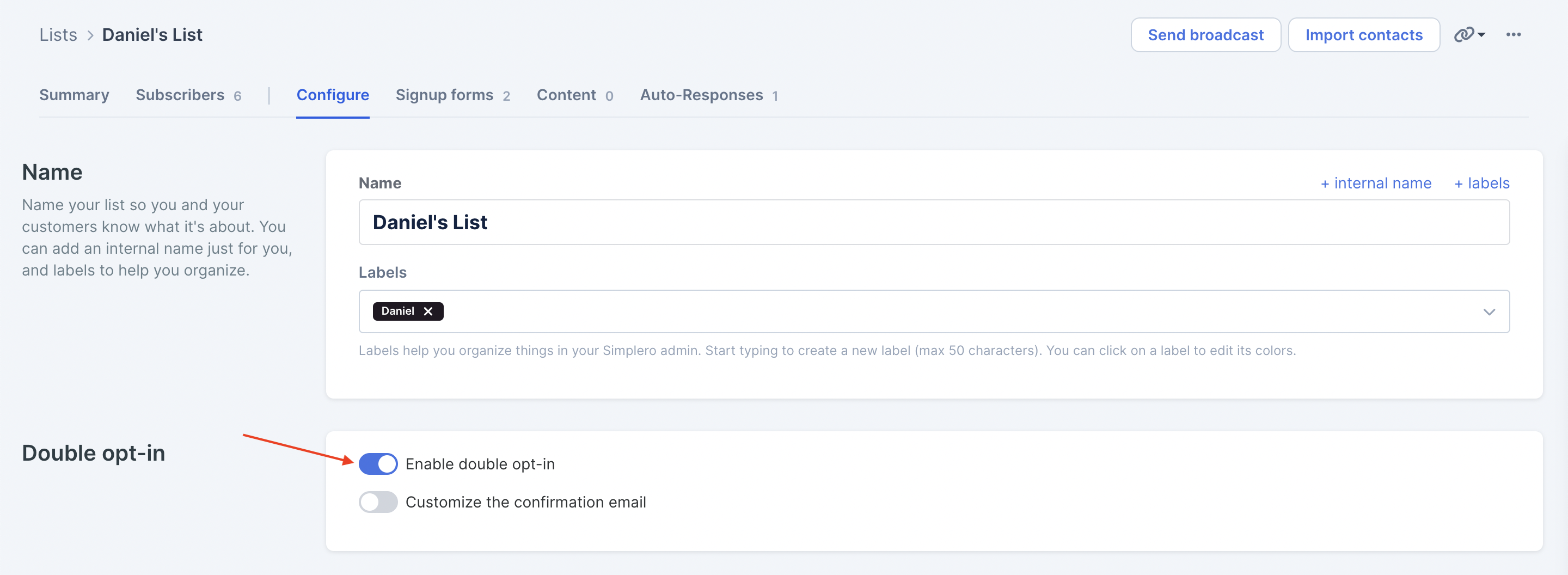
If it does, we won't send an email unless they’ve already confirmed their subscription.
If they haven’t confirmed their subscription, their status will be Unconfirmed under List >> Subscribers:

Since the trigger fires right after submission, they might not have confirmed their subscription yet by the time we've fired the trigger.
We suggest you set up an automation instead of sending the email directly if your list has Double opt-in turned On.
Using a SquareSpace Website?
When using SquareSpace you cannot utilize the function that allows the pop up to disappear if someone has already converted and if they've seen it "x" amounts of times. If you’ve set up those settings in Simplero, then the opt-in will not appear on your SquareSpace site at all - so you need to verify they’re not active.
Also when inserting the code into Square Space the correct block to use is called a "content block". This is where you’ll paste your embed code.
